
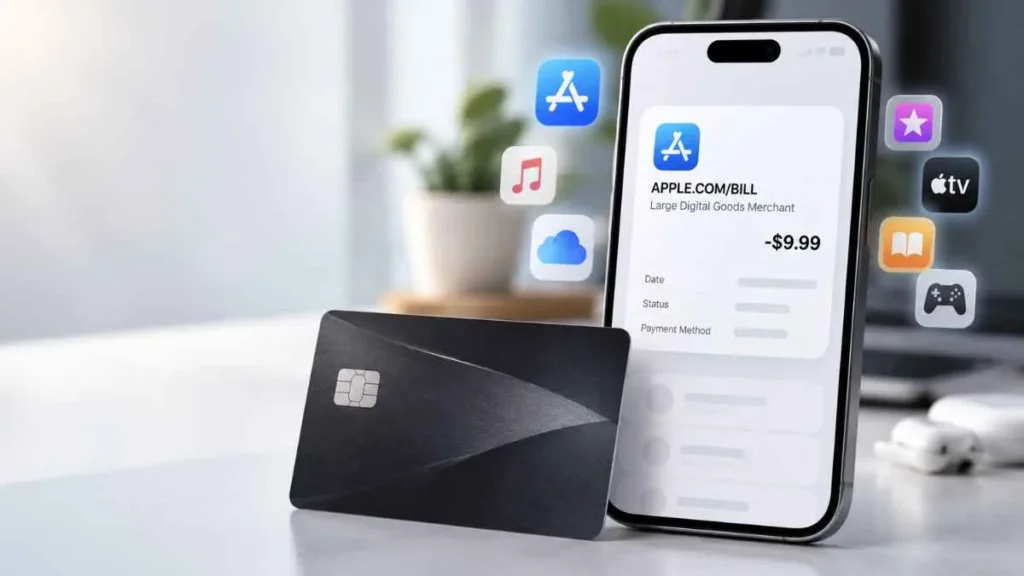
If you see a large digital goods merchant apple charge on credit card, you may wonder what Apple charged you for and whether the transaction is legitimate. The term “Large Digital Goods Merchant” is not an Apple product or service name, and “Large” does not mean you made an expensive purchase. If your statement shows APPLE.COM/BILL, the transaction may relate to an Apple-billed app, subscription, or digital purchase. This guide explains what the charge means, why it appears, how to identify it, and what to do if you do not recognize it.
What Is a Large Digital Goods Merchant Apple Charge?
A Large Digital Goods Merchant Apple charge generally refers to an Apple-related transaction classified under a digital-goods merchant category.
There are three terms to understand:
- APPLE.COM/BILL: A billing descriptor commonly associated with charges processed by Apple.
- Large Digital Goods Merchant: A merchant-category description, not an Apple product or subscription.
- MCC: A four-digit Merchant Category Code used by payment networks to classify merchants.
What Is MCC 5818?
MCC 5818 is Visa’s category for Digital Goods – Large Digital Goods Merchant. Visa describes MCC 5818 as covering qualifying large-volume merchants that sell digital goods delivered electronically.
Importantly, this category does not identify the exact product you purchased. It does not tell you whether the transaction was for a particular app, subscription, movie, game, or other digital item.
Does “Large” Mean a Large Charge?
No. “Large” refers to the merchant classification, not the dollar amount of your individual transaction. A small transaction can still be associated with this category.
What Does “APPLE.COM/BILL” Mean on a Credit Card?
APPLE.COM/BILL can appear when Apple processes a payment for products, content, or services. Depending on the transaction, it may relate to:
- App Store purchases
- In-app purchases
- App or other subscriptions
- Apple Music
- Movies and other digital content
- iCloud-related services
- Other Apple purchases or services
Apple’s purchase history includes apps, subscriptions, music, videos, books, in-app purchases, and other content.
The statement descriptor alone usually does not tell you exactly what you purchased. You need to check your Apple purchase history and subscriptions to identify the specific transaction.
Why Did I Get a Large Digital Goods Merchant Apple Charge?
App Store Purchase
You may have purchased an app or other item through the App Store. Your statement may show Apple rather than the app’s name.
In-App Purchase
An in-app purchase, such as digital content, features, or game items, can also generate an Apple-billed transaction.
Subscription Renewal
A recurring app or Apple service subscription may have automatically renewed and charged your saved payment method.
Apple Digital Content or Services
Music, movies, books, and other eligible digital content can be billed through Apple.
iCloud-Related Charge
An iCloud-related service, such as paid iCloud+ storage, may also result in an Apple charge.
Family Sharing Purchase
With Purchase Sharing enabled, a family member’s eligible purchase may be charged to the family organizer’s payment method.
Multiple Apple Purchases Combined Into One Charge
Apple may group multiple purchases and subscriptions into a single bill, so one statement transaction may represent several purchases.
Purchase Made Through Another Apple Account
If you use more than one Apple Account, the purchase may appear in a different account’s purchase history. Apple recommends checking other accounts when a purchase cannot be found.
Is a Large Digital Goods Merchant Apple Charge Legitimate?
It may be legitimate, but the statement description alone cannot confirm what happened.
It May Be Legitimate If:
- The purchase appears in your Apple purchase history.
- A subscription renewed for the same amount.
- A family member made the purchase.
- Several Apple purchases explain the total.
Investigate Further If:
- No matching purchase exists.
- No subscription matches the amount.
- Family members do not recognize it.
- Your other Apple Accounts show nothing.
- You did not authorize the transaction.
An unfamiliar charge is not automatically fraud. First rule out subscriptions, Family Sharing, grouped purchases, and other Apple Accounts.
How to Check an Apple Charge on Your Credit Card
Step 1: Check Apple Purchase History
Go to Apple’s purchase-history service, reportaproblem.apple.com, and sign in. If you know the amount charged, Apple allows you to search purchase history by amount.
Step 2: Check Your Subscriptions
Look for subscriptions that recently renewed or have a price matching the credit card charge.
Step 3: Check Other Apple Accounts
If you have used another Apple Account, sign in and check its purchase history too.
Step 4: Check Family Sharing
Ask family members whether they made a recent purchase. If Purchase Sharing is enabled, the organizer may be billed for eligible family purchases.
Step 5: Compare the Date and Amount
Match the exact transaction date and amount with your Apple purchase records. This can help identify recurring or grouped purchases.
What If You Still Can’t Identify the Charge?
Follow this order:
- Recheck Apple purchase history.
- Review subscriptions.
- Check Family Sharing.
- Check other Apple Accounts.
- Contact Apple Support.
- If you confirm the transaction was unauthorized, contact your credit card issuer.
- If account access is suspected, secure your Apple Account and change its password.
Can You Get a Refund for an Apple Charge?
Possibly. Apple allows customers to request refunds for eligible purchases through its refund system. However, not every purchase is automatically refundable, and Apple determines eligibility based on its policies and the circumstances.
Remember that cancelling a subscription and requesting a refund are different actions. Cancelling stops future renewals; it does not automatically refund a previous charge.
Large Digital Goods Merchant vs. Other Apple Charge Information
| Statement Information | What It Means |
|---|---|
| APPLE.COM/BILL | Apple-related billing descriptor |
| Large Digital Goods Merchant | Merchant/category classification |
| MCC 5818 | Visa digital-goods merchant category |
| Charge amount | Amount actually billed |
| Purchase History | Helps identify the specific purchase |
This distinction is important: the statement descriptor and merchant category do not necessarily identify the exact item purchased.
Frequently Asked Questions
What is a Large Digital Goods Merchant Apple charge?
It is an Apple-related transaction associated with a digital-goods merchant classification. The category itself does not identify the exact purchase.
Does Large Digital Goods Merchant mean a large purchase?
No. “Large” refers to the merchant classification, not the amount of your individual transaction.
Is Large Digital Goods Merchant an Apple subscription?
No. It is a merchant-category description, not an Apple subscription name.
What is MCC 5818?
MCC 5818 is Visa’s Digital Goods – Large Digital Goods Merchant category.
Why can’t I find my Apple charge?
Check other Apple Accounts, Family Sharing, subscriptions, and grouped purchases. Apple says multiple purchases may sometimes appear as one bill.
How do I find out what an Apple charge is for?
Check your Apple purchase history at reportaproblem.apple.com and compare the transaction amount and date with your records.
What should I do if I don’t recognize the charge?
First investigate your Apple accounts and purchase history. If you confirm the charge was unauthorized, contact Apple and your credit card issuer promptly.
Final Takeaway
A Large Digital Goods Merchant Apple charge on credit card does not necessarily mean you made a large purchase. “Large Digital Goods Merchant” is a merchant-category classification, while APPLE.COM/BILL is associated with Apple billing. The statement alone may not reveal the exact purchase. Check your Apple purchase history, subscriptions, Family Sharing, and other Apple Accounts to identify the transaction. If you still cannot explain the charge, contact Apple Support. If you confirm it was unauthorized, contact your card issuer and secure your Apple Account.
Read Also:-CoreCapture Charge on Credit Card

Emma Rose is a U.S.-based personal finance writer and a regular contributor at Cardix.us. She focuses on topics like credit cards, credit scores, and everyday money management. Emma’s writing makes complex financial concepts simple and practical, helping readers make smarter credit and spending decisions with confidence.

