
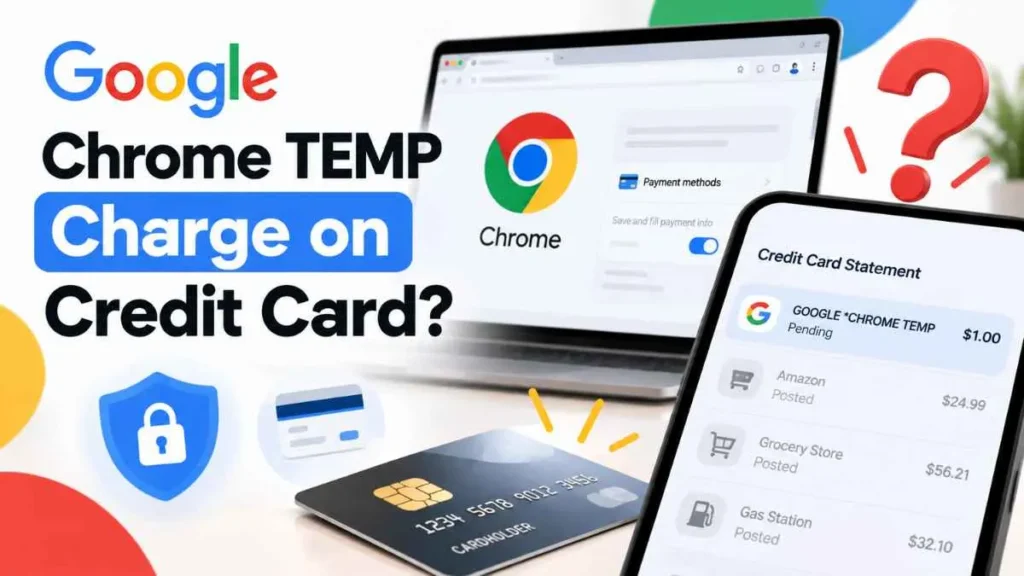
Seeing a google chrome temp charge on credit card can be confusing, especially when you do not remember making a Google purchase. The good news is that *GOOGLE CHROME TEMP is a statement descriptor associated with Google Chrome’s Autofill functionality. A related temporary authorization may appear when Google verifies your card during a payment process. You may see a small $0 or $1 amount, which can later disappear. This guide explains why it happens, how long it lasts, and what to do if you do not recognize it.
What Is a Google Chrome TEMP Charge?
*GOOGLE CHROME TEMP is a transaction descriptor that Google identifies with Google Chrome (Autofill). It does not normally mean that you purchased the Chrome browser.
Google explains that when you use a payment method through a Google service, including Autofill on Chrome, you may see a separate GOOGLE *TEMPORARY HOLD on your statement. This is a pending authorization used to verify that your card account is valid.
This distinction is important: **GOOGLE CHROME TEMP identifies Chrome’s Autofill-related activity, while GOOGLE TEMPORARY HOLD describes the temporary verification hold.
Why Did Google Chrome Put a Temporary Charge on My Card?
Google may need to verify your payment card during a payment-related process. The verification helps confirm that the card is valid.
Chrome’s Autofill feature can save payment information and help fill in card details during online checkout. Google says Chrome Autofill can be used with saved payment cards, including eligible cards connected to Google Wallet.
Because of this, a small temporary authorization may appear on your credit-card account even though you did not purchase Google Chrome itself.
How Much Is a Google Chrome TEMP Charge?
Google says an unrecognized $0 or $1 charge can be a temporary card-verification authorization. The amount may appear as pending on your credit-card account.
A $0 authorization does not represent a normal purchase. A $1 authorization can temporarily affect your available credit while it is pending.
However, do not assume every Google-related transaction will always be exactly $1. The transaction amount and how it appears can depend on the payment process and your card issuer.
Is It a Real Charge or a Temporary Hold?
The transaction status matters.
| Pending Authorization | Posted Charge |
|---|---|
| Usually temporary | Finalized transaction |
| May disappear | Normally remains on the account |
| May temporarily affect available credit | Represents a completed charge |
| Often used for verification | Should be investigated if unexpected |
A pending authorization is not necessarily a completed purchase. Google says its temporary $0 or $1 card verification should disappear after 1–7 business days, depending on your bank.
How Long Does a Google Chrome TEMP Charge Stay?
A temporary $0 or $1 authorization should generally disappear within 1–7 business days, according to Google. The exact timing depends on your bank or credit-card issuer.
If the transaction is still pending after that period, check your Google payment activity and contact your card issuer to ask whether the entry is still an authorization hold.
Why Do I See Google Chrome TEMP If I Never Bought Chrome?
You do not need to purchase the Chrome browser for *GOOGLE CHROME TEMP to appear.
Google specifically lists this descriptor as Google Chrome (Autofill).
If you recently used a saved payment card with Chrome Autofill, a related verification process may explain the transaction. Therefore, seeing this descriptor does not automatically mean someone purchased Chrome using your card.
Is Google Chrome TEMP a Scam?
Not automatically.
A small pending $0 or $1 authorization that later disappears is consistent with Google’s documented card-verification process.
However, an unfamiliar posted or completed charge should not simply be assumed to be a temporary hold.
If the amount is unusually large, the transaction becomes finalized, or you see other unfamiliar transactions, investigate it with Google and your card issuer.
What Should I Do If I See GOOGLE *CHROME TEMP?
Follow these steps:
- Check the transaction status. Determine whether it is pending or posted.
- Check the amount. A $0 or $1 pending authorization matches Google’s documented verification pattern.
- Review Google payment activity. Look for a transaction that could explain the entry.
- Check Chrome payment methods. Review cards saved for Autofill.
- Allow time for a temporary hold to clear. Google says $0 or $1 verification charges generally disappear within 1–7 business days.
- Contact your card issuer if the transaction remains unexplained or does not clear.
- Report an unauthorized finalized charge if you determine that the posted transaction was not authorized.
Google’s guidance says that an unrecognized Google charge should first be checked to confirm it is no longer pending; finalized unauthorized charges can then be reported through Google’s unauthorized-transaction process.
GOOGLE *CHROME TEMP vs. GOOGLE *TEMPORARY HOLD
These descriptors should not be treated as identical.
- *GOOGLE CHROME TEMP: Google identifies this with Google Chrome (Autofill).
- *GOOGLE TEMPORARY HOLD: Google describes this as a pending charge used to verify that your card account is valid.
- *GOOGLE SERVICES: Google lists this descriptor for Google Fiber and YouTube TV.
The exact descriptor on your statement can therefore help identify what type of Google-related activity occurred.
When Should You Contact Your Credit Card Company?
Contact your card issuer if:
- The transaction becomes posted or completed and you do not recognize it.
- The amount is significantly higher than expected.
- The pending transaction does not clear within the expected timeframe.
- You notice other unfamiliar charges.
- You believe your card information may have been compromised.
When contacting your issuer, provide the transaction date, amount, descriptor, and status. This helps them determine whether the transaction is an authorization hold or a completed charge.
Frequently Asked Questions
What is a Google Chrome TEMP charge on a credit card?
It is a statement descriptor Google associates with Chrome Autofill. A related temporary authorization may appear during card verification.
Why did Google Chrome charge me $1?
Google may use a temporary $1 authorization to confirm that your card is valid. It is not necessarily a completed purchase.
Will I get the Google Chrome $1 charge back?
If it is a temporary authorization, Google says it should disappear within 1–7 business days, depending on your bank.
Is Google Chrome TEMP a scam?
Not necessarily. A small pending authorization can be legitimate, but an unfamiliar posted charge should be investigated.
What if the Google Chrome TEMP charge does not disappear?
Check your Google payment activity and contact your card issuer to determine whether the transaction is still pending or has been finalized.
Final Takeaway
A google chrome temp charge on credit card is not automatically a purchase or a sign of fraud. Google identifies *GOOGLE CHROME TEMP with Chrome Autofill, while *GOOGLE TEMPORARY HOLD is the descriptor Google uses for a pending card-verification hold.
If you see a small $0 or $1 pending authorization, Google says it generally disappears within 1–7 business days, depending on your bank. If the transaction becomes posted, remains unexplained, or is for an unexpected amount, check your Google payment activity and contact your credit-card issuer.
Read Also:-Aspen and Oaks Charge on Credit Card

Emma Rose is a U.S.-based personal finance writer and a regular contributor at Cardix.us. She focuses on topics like credit cards, credit scores, and everyday money management. Emma’s writing makes complex financial concepts simple and practical, helping readers make smarter credit and spending decisions with confidence.

