
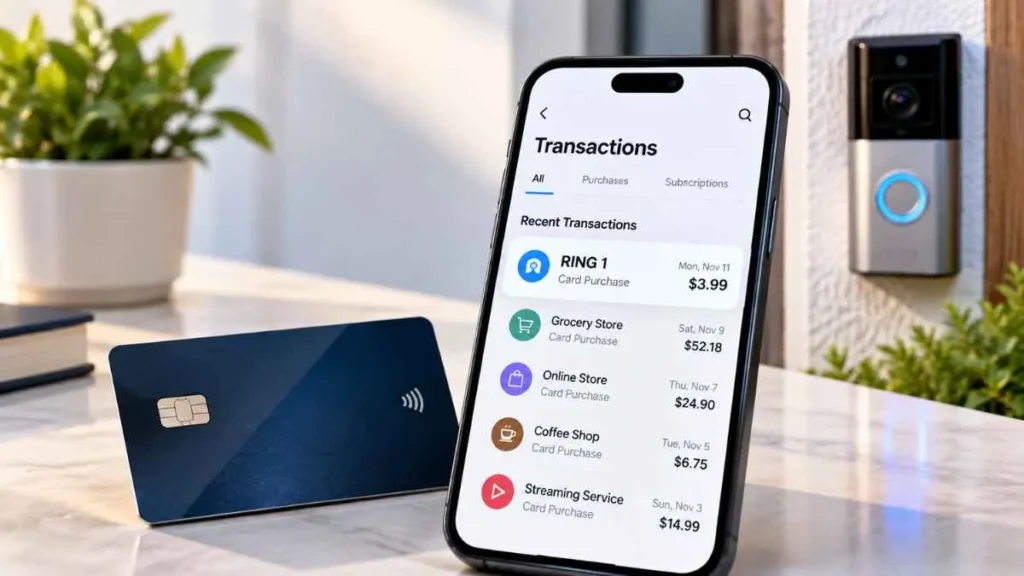
A ring 1 charge on credit card can be confusing when you do not recognize the transaction. It may be related to Ring, the home-security company behind doorbells, cameras, and subscription services. However, the statement descriptor alone does not confirm the exact merchant or reason for the payment. The charge could be connected to a subscription renewal, Ring Solo plan, Ring.com purchase, multiple subscriptions, or an Amazon-managed Ring subscription. Here is how to identify it and what to do if it is unauthorized.
What Is a RING 1 Charge on a Credit Card?
A RING 1 charge on a credit card is a transaction that appears on your statement with a descriptor such as “RING 1” or “RING-1.” Credit-card statements may display shortened merchant descriptions.
The charge may be related to Ring, but Ring does not publicly document “RING 1” as a universal official billing descriptor. Therefore, the descriptor alone cannot confirm which transaction caused the charge.
The “1” also should not automatically be interpreted as meaning one Ring device or the Ring Solo plan.
Is RING 1 Related to Ring Doorbell or Security?
It may be. Ring offers video doorbells, security cameras, alarms, and subscription services. A Ring-related transaction could involve a subscription, renewal, add-on, or purchase from Ring.com.
However, RING 1 does not conclusively identify Ring as the merchant. If you do not have Ring products or cannot find the transaction in your account, check the full merchant information provided by your card issuer.
Does “1” Mean One Ring Device?
Not necessarily. Ring Solo is currently designed to cover one eligible Ring doorbell or camera, but Ring does not state that the “1” in a credit-card descriptor represents one device.
Therefore, do not assume that a RING 1 charge is automatically a Ring Solo payment.
Why Did I Get a RING 1 Charge?
Several situations could explain the transaction.
Ring Subscription Renewal
Ring subscriptions can automatically renew according to their billing terms. If you have an active plan, a renewal may appear even though you did not make a new purchase that day.
Ring Solo Subscription
A Ring Solo subscription covers one eligible device. Its recurring payment could appear as a Ring-related charge on your statement.
Multiple Ring Subscriptions
Multiple devices or subscriptions can result in multiple charges. Ring specifically notes that multiple Solo subscriptions starting on the same date can produce multiple subscription charges.
Ring Plan or Billing Change
A plan change or billing adjustment may affect the amount charged. Review your recent subscription activity if the amount differs from your usual payment.
Ring.com Purchase
The transaction could also be a purchase rather than a subscription. Check for recent Ring doorbells, cameras, accessories, or other orders in your Ring Order History.
Amazon-Managed Ring Subscription
Some Ring subscriptions can be purchased or managed through Amazon. If your Ring account does not explain the charge, check your Amazon orders and subscription records as well.
How to Find the Exact RING 1 Charge
1. Check Ring Billing History
Sign in to Ring.com and open Billing History. Ring says this section shows subscription charges. Compare the transaction date and amount with your credit-card statement.
2. Check Ring Order History
Open Order History to look for recent purchases from Ring.com. Ring distinguishes Order History from Billing History, so checking both is important.
3. Review Your Active Plans
Check your current Ring plans, renewal dates, covered devices, and number of subscriptions. This can help explain an unexpected or duplicate-looking charge.
4. Check Amazon
If your Ring subscription was purchased through Amazon, review your Amazon orders and subscription information.
5. Compare the Date and Amount
Match the exact transaction date and amount with your Ring or Amazon records. If nothing matches, request additional merchant information from your card issuer.
What If I Don’t Have a Ring Account?
If you do not own a Ring device or have a Ring account, do not automatically assume the charge is from Ring.
Contact your credit-card issuer and ask for the full merchant details, such as the merchant name, location, category, and available contact information. This can help identify the business that actually processed the payment.
Is the RING 1 Charge Unauthorized?
An unfamiliar charge may be legitimate but unexpected. You may have forgotten a subscription, missed an automatic renewal, or have another Ring subscription or Amazon-managed account.
If you have no Ring account, no Ring purchase, and no matching Amazon transaction, investigate the charge more carefully.
What to Do If RING 1 Is Unauthorized
First, check your Ring and Amazon accounts. If the transaction still cannot be explained, contact Ring and provide the charge date and amount.
You should also contact your credit-card issuer. Ask for expanded merchant information and follow its dispute or fraud-reporting process if you believe the transaction was unauthorized.
Do not automatically dispute every RING 1 charge. First determine whether it is a legitimate payment.
Can Ring Charge Your Card Automatically?
Yes. Ring states that subscriptions automatically charge the payment method on file and auto-renew until canceled. Ring subscriptions can be billed monthly or yearly depending on the selected option.
If you canceled a subscription but received a charge, check the cancellation date and the billing period before assuming the payment is unauthorized.
Why Am I Seeing Multiple Ring Charges?
Multiple charges may result from:
- Multiple Ring devices
- Separate Solo subscriptions
- Different Ring locations
- More than one Ring account
- A subscription plus a product purchase
- Plan or billing changes
Ring specifically confirms that multiple Solo subscriptions can result in multiple subscription charges.
RING 1 vs. Ring Solo: Are They the Same?
No.
| RING 1 | Ring Solo |
|---|---|
| Statement descriptor | Official Ring subscription plan |
| Exact meaning is not publicly documented | Covers one eligible device |
| May potentially be Ring-related | Defined Ring service |
| Cannot automatically be equated with Solo | Has specific plan features |
The fact that Ring Solo covers one device does not prove that the “1” in a RING 1 statement descriptor refers to Solo.
Frequently Asked Questions
What is RING 1 on my credit card?
It may be a Ring-related transaction, but the descriptor alone does not confirm the merchant or exact reason for the charge.
Does RING 1 mean Ring Solo?
No. Ring Solo covers one eligible device, but Ring does not say that “RING 1” identifies the Solo plan.
Does the “1” mean one Ring device?
There is no public Ring documentation confirming that the “1” represents one device.
Why did Ring charge my card?
Possible reasons include a subscription renewal, active plan, multiple subscriptions, or a Ring purchase.
Could RING 1 be an Amazon charge?
It may be related to a Ring subscription purchased or managed through Amazon. Check both accounts.
What if I don’t recognize the charge?
Check Ring and Amazon first. If nothing matches, ask your card issuer for the full merchant details and investigate the transaction.
Final Takeaway
A RING 1 charge on a credit card may be related to Ring, but the statement descriptor alone does not conclusively identify the transaction. It could involve a subscription renewal, Ring Solo plan, multiple subscriptions, a Ring.com purchase, or an Amazon-managed subscription.
Most importantly, do not assume that the “1” means one device or Ring Solo. Check your Ring Billing History, Order History, active subscriptions, and Amazon account. If the transaction still cannot be identified, contact your credit-card issuer for the full merchant information and follow its fraud or dispute process if necessary.
Read Also:-Health Grade Supplies Charge on Credit Card

Emma Rose is a U.S.-based personal finance writer and a regular contributor at Cardix.us. She focuses on topics like credit cards, credit scores, and everyday money management. Emma’s writing makes complex financial concepts simple and practical, helping readers make smarter credit and spending decisions with confidence.

