
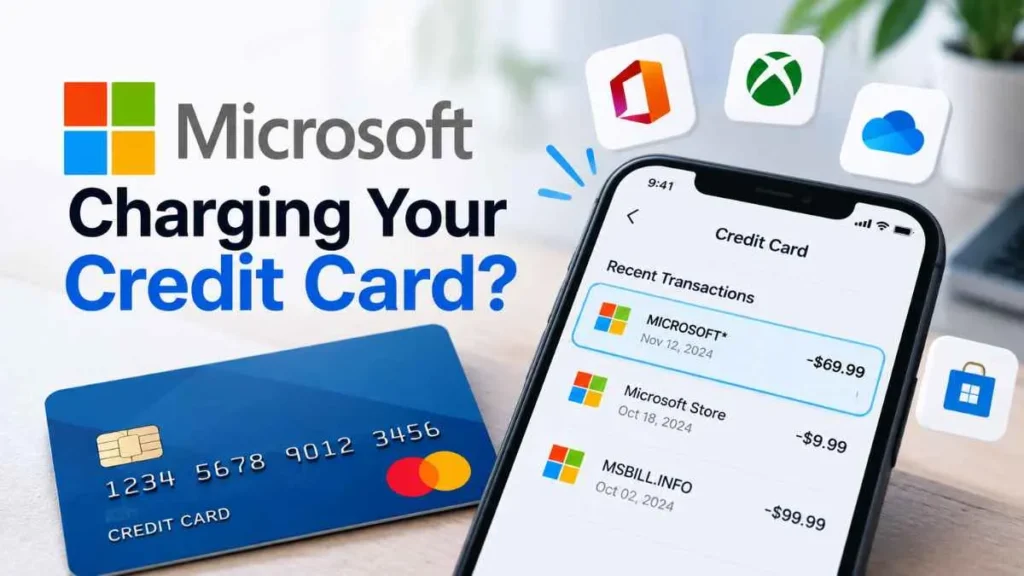
A microsoft charge on credit card can be confusing when you do not recognize the amount or billing description. The charge may be connected to Microsoft 365, Xbox, Game Pass, OneDrive, a Microsoft Store purchase, or an in-app transaction. It could also result from a subscription renewal, a family member using the card, or a previously declined payment being processed later. Fortunately, you can usually identify the charge by checking your Microsoft account, order history, subscriptions, and payment activity.
What Is a Microsoft Charge on a Credit Card?
A Microsoft charge is a payment processed for a Microsoft product, subscription, game, app, storage service, or another digital purchase.
The description shown on your credit card statement may not exactly match the product name you remember. Depending on the transaction, you might see a Microsoft-related descriptor such as MICROSOFT* or a product-specific description.
The statement description alone may not tell you exactly what was purchased, so checking your Microsoft account is the best starting point.
Why Is Microsoft Charging My Credit Card?
There are several common reasons for an unexpected Microsoft charge.
Microsoft 365 Subscription Renewal
Microsoft 365 subscriptions can renew automatically when recurring billing is enabled. Depending on the plan, billing may occur monthly or annually.
Check your Microsoft account’s Services & subscriptions page to see your plan, renewal date, and billing status.
Xbox or Game Pass Purchase
An Xbox purchase or Game Pass subscription can also appear as a Microsoft-related transaction. If you share your payment method with family members, check whether someone else made the purchase.
OneDrive Storage
Additional OneDrive storage can be billed through Microsoft. If you previously upgraded your storage, an automatic renewal could explain the charge.
Microsoft Store Purchase
Apps, games, digital products, and other Microsoft Store purchases can generate charges. Microsoft recommends checking your Order History to review completed purchases.
In-App Purchase
An in-app purchase made through a Microsoft-connected app or game can create a Microsoft billing transaction. Microsoft specifically lists in-app purchases among the possible reasons for an unfamiliar charge.
Someone You Know Used the Card
A family member or another person who has access to your payment method may have made the purchase. Microsoft lists this as a common explanation for an unrecognized charge.
A Previously Declined Payment Was Processed
Microsoft says a previously declined transaction can sometimes be charged later. Therefore, the date on your credit card statement may not always match the date you originally attempted the purchase.
How to Identify a Microsoft Charge on Your Credit Card
Follow these steps before assuming the transaction is fraudulent.
Check the Amount and Date
Write down the exact charge amount, transaction date, and statement description. These details can help you match the transaction with an order or subscription.
Check Microsoft Order History
Sign in to your Microsoft account and open Payment & billing → Order history.
Microsoft recommends checking completed or redeemed orders and making sure you are signed into the correct Microsoft account.
Check Your Subscriptions
Go to your Microsoft Services & subscriptions page and look for Microsoft 365, OneDrive, Xbox, or other active subscriptions.
If recurring billing is enabled, the subscription can automatically renew on its billing date.
Check Other Microsoft Accounts
If you cannot find the transaction, you may be checking the wrong Microsoft account. Consider other personal, work, or family accounts that may have been used to make the purchase.
Ask Family Members
If your credit card is saved on a shared Microsoft or Xbox account, ask family members whether they recently purchased something.
Use Microsoft’s Payment Investigation Tool
For an unfamiliar transaction, Microsoft recommends going to the Manage your payments section of your Microsoft account and selecting Investigate.
What If I Still Cannot Find the Charge?
If the charge does not appear in your Microsoft account, check whether the subscription was purchased through another provider.
For example, Microsoft says subscriptions purchased through Apple, Google Play, Amazon, or certain retail partners may need to be managed through that provider instead of Microsoft.
You can also contact Microsoft Support with the transaction amount, date, and statement description.
Is a Microsoft Charge Automatically Fraud?
No. An unfamiliar Microsoft charge does not automatically mean fraud.
First check subscriptions, order history, other accounts, family purchases, and delayed payments. If you still cannot explain the transaction and believe someone used your payment information without permission, contact your credit-card issuer promptly.
Microsoft also advises contacting your bank or payment provider if you believe your payment information has been compromised.
Can You Get a Refund for a Microsoft Charge?
Possibly. Refund eligibility depends on factors such as the product, purchase type, cancellation timing, and where the subscription was purchased.
Microsoft states that not every cancellation results in a refund. For subscriptions purchased directly from Microsoft, eligibility is determined during the cancellation process. Purchases made through Apple or Google Play generally need to be handled through those providers.
How to Stop Future Microsoft Charges
If the charge comes from a subscription you no longer want:
- Sign in to your Microsoft account.
- Open Services & subscriptions.
- Find the relevant subscription.
- Select Manage.
- Turn off recurring billing or cancel the subscription.
Turning off recurring billing prevents future automatic renewal, while access generally continues until the subscription expires.
Quick Checklist
Before disputing a Microsoft charge, check:
- Exact transaction amount and date
- Microsoft Order History
- Microsoft 365 subscriptions
- Xbox or Game Pass purchases
- OneDrive storage
- Other Microsoft accounts
- Family or shared-account purchases
- Apple, Google Play, or another billing provider
- Microsoft’s Investigate payment tool
- Your credit-card issuer if the charge remains unexplained
FAQs
What is a Microsoft charge on a credit card?
It is a payment related to a Microsoft product, subscription, app, game, storage service, or other Microsoft-connected purchase.
Why do I have a Microsoft charge I don’t recognize?
It could be a subscription renewal, family purchase, in-app purchase, delayed payment, or another Microsoft transaction.
What is an MSBILL.INFO charge?
MSBILL.INFO can appear in connection with Microsoft billing, but the descriptor alone does not necessarily identify the exact product or subscription.
How can I check a Microsoft charge?
Check your Microsoft Order History, Services & subscriptions, other Microsoft accounts, and Microsoft’s payment investigation tool.
Final Takeaway
A microsoft charge on credit card can come from many legitimate sources, including Microsoft 365, Xbox, Game Pass, OneDrive, Microsoft Store purchases, and in-app transactions. The safest approach is to identify the charge through your Microsoft account before assuming it is fraudulent. Check your order history and subscriptions first, investigate the payment through Microsoft’s tools, and contact your bank if the transaction remains unauthorized or your payment information may be compromised.
Read Also:-Health Grade Supplies Charge on Credit Card

Emma Rose is a U.S.-based personal finance writer and a regular contributor at Cardix.us. She focuses on topics like credit cards, credit scores, and everyday money management. Emma’s writing makes complex financial concepts simple and practical, helping readers make smarter credit and spending decisions with confidence.

