
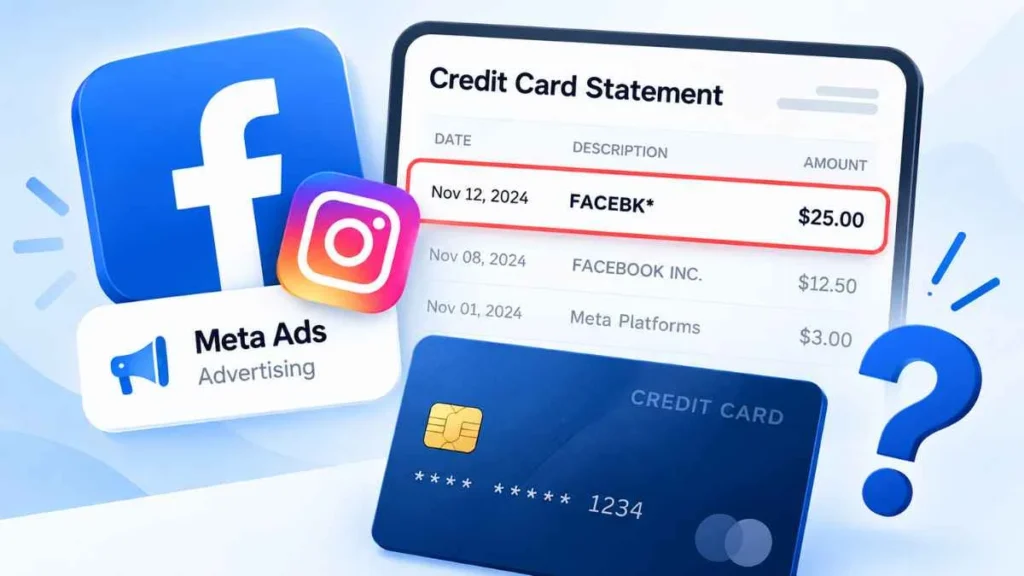
A Facebook advertising charge on credit card usually means Meta charged your card for advertising on Facebook or Instagram. You may see a statement description such as FACEBK* or FACEBOOK INC.. The charge can be legitimate if you or someone with access to your ad account ran campaigns. However, an unfamiliar charge does not automatically mean fraud. This guide explains why Facebook may charge your card, how to verify the transaction, and what to do if you do not recognize it.
What Is a Facebook Advertising Charge on a Credit Card?
A Facebook advertising charge on a credit card is a payment for advertising costs generated through Meta’s advertising system. If you run Facebook or Instagram ads, Meta can charge the payment method connected to your advertising account.
Facebook and Instagram advertising are managed through Meta. Therefore, an Instagram advertising expense can appear on your credit card statement as a Facebook or Meta-related transaction.
The statement description can vary by card issuer. You might see FACEBK*, FACEBOOK INC., or another Meta-related descriptor, sometimes followed by numbers or additional characters.
The amount charged may also differ from your daily or campaign budget. Meta can bill accumulated advertising costs according to the account’s applicable billing threshold or billing schedule.
Why Did Facebook Charge My Credit Card?
There are several common reasons for a Facebook advertising charge.
You Reached Your Ad Billing Threshold
A billing threshold is a spending amount that can trigger an automatic payment. Instead of charging your card after every ad impression or click, advertising costs may accumulate until the applicable threshold is reached.
For example, if your account has a $20 billing threshold, your ads may generate spending over several days before Meta processes a payment.
Your Monthly Billing Date Arrived
A charge can also occur on the account’s scheduled monthly billing date. Depending on the account’s billing setup, accumulated advertising costs may be charged even if the applicable billing threshold was not reached.
You Have an Active Facebook or Instagram Campaign
An active campaign can continue generating advertising costs while it is eligible to deliver ads and has available budget.
Check Meta Ads Manager for active campaigns, spending, and payment activity. Remember that pausing a campaign does not necessarily remove costs that were already generated before you stopped it.
Someone Else Has Access to Your Ad Account
An employee, marketing agency, business partner, family member, or another authorized administrator may have created or managed a campaign using the connected payment method.
Before assuming a charge is unauthorized, check who has access to your Meta Business and advertising accounts.
What Does “FACEBK” Mean on a Credit Card Statement?
FACEBK* is a statement descriptor that may appear on a Meta/Facebook-related transaction. You may also see FACEBOOK INC. or another Meta-related description.
The descriptor alone does not prove that a charge is fraudulent. Different card issuers can display merchant information differently.
When checking a charge, compare the date, amount, payment method, and reference or transaction number with your Meta billing records.
How to Check a Facebook Advertising Charge
If you do not recognize the transaction, verify it before assuming it is unauthorized.
1. Check Meta Ads Manager
Open the Meta account connected to your advertising activity and review Billing & Payments or Payment Activity.
Check:
- Transaction date
- Charged amount
- Payment method
- Transaction or reference details
- Advertising activity around the same date
2. Match the Charge With Your Statement
Compare the information from Meta with your credit card statement. A matching date and amount can help identify the transaction.
3. Check Account Access
Review your Meta Business and advertising account permissions. Look for employees, agencies, partners, administrators, or other users who may have managed your ads.
Why Did Facebook Charge Me If I Did Not Run Ads?
If you never ran Facebook or Instagram ads, there are still several possibilities.
Someone with authorized access may have used your ad account. You may also have another Meta account, business account, or payment activity that you did not initially check.
If you cannot find any matching transaction in your Meta accounts, your payment information may have been used without authorization. At that point, contact your credit card issuer and report the transaction to Meta.
What Does a $1, $2, or $3 Facebook Charge Mean?
A small Facebook-related charge does not automatically mean fraud.
A $1, $2, or $3 transaction should be checked against your Meta billing records, transaction date, and payment method. The amount alone cannot determine whether the charge is legitimate or unauthorized.
Also, do not automatically assume that every small charge is a card-verification or “test” charge. Verify the transaction first.
Important: A small Facebook charge is not automatically proof of fraud. Check your Meta billing activity and credit card records before deciding what happened.
What If You Never Ran Facebook Ads?
Follow these steps:
- Check Meta Ads Manager.
- Review Meta payment activity.
- Check authorized users and business accounts.
- Match the transaction date and amount.
- Contact your credit card issuer if there is no match.
- Report the transaction to Meta.
- Secure your Meta account and payment information.
Enable two-factor authentication and review unfamiliar account access if you suspect unauthorized activity.
How to Dispute an Unauthorized Facebook Advertising Charge
If you have verified that the charge does not belong to you, contact your credit card issuer promptly. Explain that you do not recognize the transaction and follow the issuer’s dispute process.
For U.S. credit cards, the CFPB says consumers generally should send a written billing-error notice within 60 calendar days after the statement containing the error was sent.
You should also report the transaction to Meta and keep records of your credit card statement, Meta billing information, receipts, and dispute communications.
Can You Get a Refund for a Facebook Advertising Charge?
It depends on why the charge occurred and the outcome of the relevant investigation.
A legitimate advertising charge is different from an unauthorized transaction. If you believe the charge is unauthorized, report it to your card issuer and Meta. Do not assume that every unfamiliar charge will automatically be refunded.
How to Prevent Unexpected Facebook Advertising Charges
To reduce the risk of unexpected charges:
- Review your Meta ad account access regularly.
- Enable two-factor authentication.
- Remove users who no longer need access.
- Review saved payment methods.
- Monitor active campaigns and advertising spending.
- Use appropriate spending controls.
- Turn on credit card transaction alerts.
Facebook Advertising Charge vs. Facebook Purchase Charge
Not every Meta-related transaction is necessarily an advertising payment.
| Charge | Usually Related To |
|---|---|
| Facebook advertising charge | Facebook or Instagram ads |
| Meta/Facebook purchase | Another Meta-related payment |
| Unknown card transaction | Requires investigation |
If you do not recognize a Meta-related charge, check your payment activity rather than relying only on the merchant description.
Frequently Asked Questions
Why is Facebook charging my credit card?
Facebook may charge a connected payment method for advertising costs generated through a Meta ad account. Check your billing activity to identify the transaction.
What is a FACEBK charge on my credit card?
FACEBK is a statement descriptor that may appear on a Meta/Facebook-related transaction. The descriptor alone does not prove fraud.
Why did Facebook charge me $2?
The amount alone cannot explain the charge. Compare the transaction with your Meta billing records and payment activity.
Can Facebook charge my card without permission?
If you find a transaction you did not authorize and cannot match to your Meta account, contact your card issuer and report it to Meta.
How do I stop Facebook from charging my credit card?
If you run ads, review your campaigns and billing settings. If you do not recognize the charges, investigate the transaction and contact your card issuer if necessary.
Bottom Line
A Facebook advertising charge on credit card is often connected to Facebook or Instagram advertising, but an unfamiliar charge should always be verified.
Check your Meta billing activity, match the transaction details, and review who has access to your advertising account. If nobody recognizes the charge, contact your credit card issuer, report it to Meta, and secure your accounts.
Read Also:-CoreCapture Charge on Credit Card

Emma Rose is a U.S.-based personal finance writer and a regular contributor at Cardix.us. She focuses on topics like credit cards, credit scores, and everyday money management. Emma’s writing makes complex financial concepts simple and practical, helping readers make smarter credit and spending decisions with confidence.

