
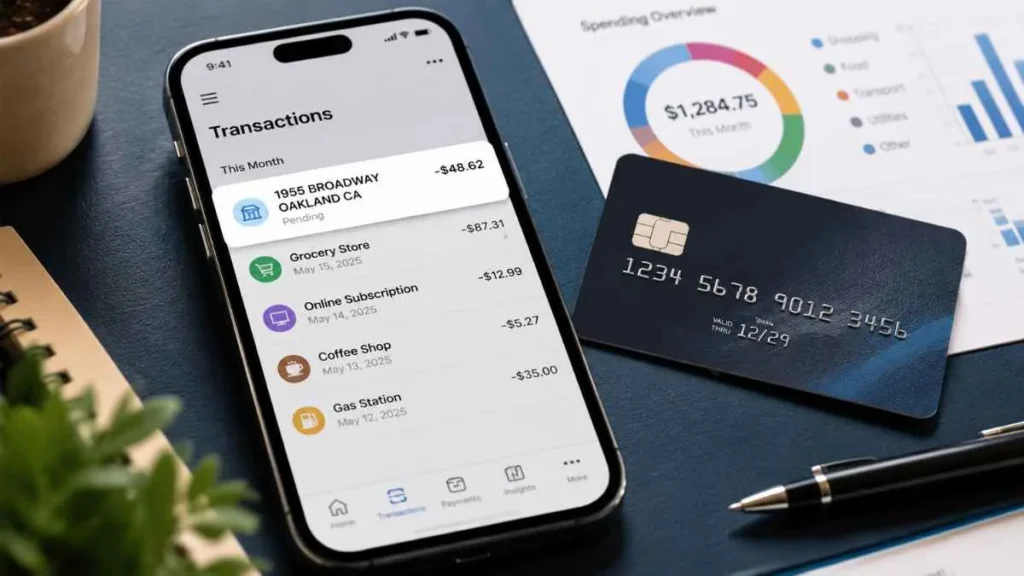
Have you noticed a 1955 Broadway Oakland California charge on credit card and wondered what it means? Many U.S. cardholders see this unfamiliar description on their statements and worry that it may be a fraudulent transaction or an unauthorized purchase.
However, this charge is commonly associated with Block, Inc., the financial technology company behind Cash App and Square payment processing services. The address 1955 Broadway, Oakland, California is linked to Block’s business operations and does not necessarily mean you made a purchase in Oakland.
In this guide, we explain why this charge appears, whether it is a scam, and how you can identify the exact transaction.
What Is the 1955 Broadway Oakland California Charge?
The 1955 Broadway Oakland California charge on credit card is usually a billing descriptor connected to Block, Inc. Block is a payment technology company that operates services including:
- Cash App – a digital payment platform for sending, receiving, and managing money.
- Square – a payment processing system used by businesses to accept card payments.
When a payment is processed through Block’s network, your credit card statement may show Block’s company address instead of the actual merchant name.
For example, you may purchase something from a local business that uses Square. Instead of seeing the restaurant or store name, your statement may display:
- BLOCK INC
- 1955 BROADWAY
- OAKLAND CA
This does not mean you visited Block’s office or made a purchase in California.
Why Does This Charge Appear on My Credit Card Statement?
There are several common reasons why you may see this charge.
Cash App Card Purchase
If you use a Cash App Card, your transaction may appear with Block-related information because Cash App is operated by Block, Inc.
You may see this charge after:
- Shopping with your Cash App Card
- Paying an online merchant
- Making a store purchase
- Using Cash App payment services
Examples include:
- Grocery purchases
- Restaurant payments
- Online subscriptions
- Digital services
Your statement may display Block’s information instead of the merchant where you actually paid.
Square Payment From a Business
Common Square users include:
- Restaurants
- Coffee shops
- Salons
- Local stores
- Independent sellers
- Service providers
The payment process looks like this:
Customer → Business → Square → Block Processing → Credit Card Statement
Because Block processes the transaction, your statement may show 1955 Broadway Oakland CA instead of the business name.
Cash App Account Activity
The charge may also be related to activity in your Cash App account.
Possible activities include:
- Sending money
- Adding funds
- Cash App Card transactions
- Linked payments
- Recurring services
If you use Cash App, checking your transaction history can help you confirm whether the charge is legitimate.
Is 1955 Broadway Oakland California Charge a Scam?
Seeing a 1955 Broadway Oakland California charge on credit card does not automatically mean it is a scam.
Payment processors often appear on credit card statements instead of the actual merchant. Large financial technology companies process millions of transactions, so corporate billing information may appear during payment processing.
However, you should investigate the charge if:
- You do not use Cash App
- You never paid a business using Square
- You do not recognize the amount
- You did not authorize the transaction
An unfamiliar charge could be a forgotten purchase, a payment made by someone with access to your card, or unauthorized activity.
How to Identify the Exact Transaction?
If you do not recognize the charge, follow these steps:
Check Your Credit Card Details
Review:
- Transaction amount
- Date
- Full description
- Reference number
The amount and date can help you match the charge with your recent purchases.
Check Cash App Activity
If you use Cash App:
- Open Cash App
- Go to the Activity section
- Review recent transactions
- Match the amount and date
Search Your Email
Look for receipts using keywords:
- Cash App
- Block
- Square
- Payment receipt
- Transaction confirmation
Contact Your Card Issuer
If you still cannot identify the transaction:
- Call your credit card company
- Report the unknown charge
- Request an investigation
Your card issuer can help verify the transaction and guide you through the dispute process.
Why Does It Say Oakland California If I Never Went There?
The location does not necessarily represent where you made the purchase.
The Oakland, California address refers to Block’s business location, not your shopping location.
For example, you may buy food from a restaurant in Texas. If that restaurant uses Square for payment processing, your statement may show Block’s Oakland address because Square handled the transaction.
Final Verdict
A 1955 Broadway Oakland California charge on credit card is usually connected to Block, Inc., Cash App, or Square payment processing. It does not necessarily mean you purchased something in Oakland, California.
Most common reasons include:
- Cash App Card transactions
- Square merchant payments
- Block payment processing activity
Before assuming fraud, check your transaction details, Cash App history, and email receipts. If the charge remains unfamiliar, contact your credit card issuer for assistance.
Understanding the difference between a payment processor and the actual merchant can help you quickly identify unknown credit card charges.
Read Also:-Total Drive Charge on Credit Card

Emma Rose is a U.S.-based personal finance writer and a regular contributor at Cardix.us. She focuses on topics like credit cards, credit scores, and everyday money management. Emma’s writing makes complex financial concepts simple and practical, helping readers make smarter credit and spending decisions with confidence.

