
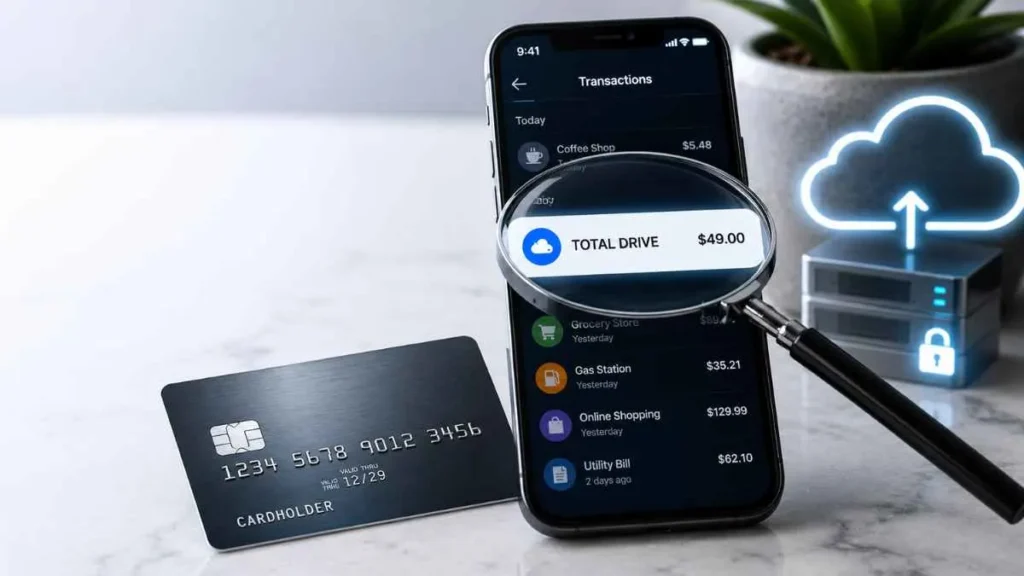
Seeing a Total Drive charge on your credit card can be confusing, especially if you do not remember signing up. Total Drive is a cloud-storage and backup service that offers subscription plans for storing and protecting files online. The charge may be a new subscription, automatic renewal, promotional-price renewal, upgrade, or add-on. An unfamiliar payment does not automatically mean fraud. This guide explains why the charge appears and what you can do to identify, cancel, or dispute it.
What Is Total Drive?
Total Drive is a cloud storage and backup service that lets users store, protect, and access files online. Instead of keeping important files only on a phone or computer, users can use cloud storage to keep data such as photos, videos, and documents accessible online.
Total Drive operates on a subscription basis. Depending on the plan, subscriptions can renew monthly, quarterly, biannually, or annually. Total Drive is also a separate third-party service from Apple iCloud, although a Total Drive subscription purchased through the Apple App Store may be managed through an Apple account.
What Does a Total Drive Charge on a Credit Card Mean?
A Total Drive charge on a credit card generally means a payment was processed for a Total Drive subscription or another service connected to the account. Common reasons include:
- Initial Subscription:-You may have recently purchased a Total Drive storage or backup plan. The payment method provided during checkout can then be charged for the selected billing period.
- Automatic Renewal:-If you previously subscribed, the charge may be an automatic renewal. Total Drive says subscriptions can automatically renew unless canceled.
- Promotional Price Ended:-A promotional or introductory price may apply only to the initial billing period. When that period ends, the subscription may renew at its regular price, making the new charge higher than the original payment.
- Upgrade or Add-On:-The payment could also be related to an upgrade, additional storage, add-on, or another service purchased through your account.
- Another Authorized User:-If someone else has access to your credit card or payment account, they may have started the subscription.
Why Did Total Drive Charge Me Again?
A second Total Drive charge is often caused by automatic renewal. You may have forgotten about an older subscription, or a promotional period may have ended.
The billing amount can also depend on whether your plan is monthly, quarterly, biannual, or annual. If you use multiple Total Security services with the same email address, they may appear in the same online portal while being managed and billed separately.
If the new amount looks unexpected, compare it with your original order confirmation and upcoming payment information in your Total Drive account.
Why Is My Total Drive Renewal More Expensive?
A promotional price is not necessarily a permanent price.
Introductory price → First billing period → Automatic renewal → Regular price
Total Drive explains that promotional pricing can apply to the initial billing period before renewal at the regular rate. The renewal price can be checked through your order information and Online Portal.
Do not assume that a specific amount, such as $9.99 or $99, represents a universal Total Drive price. Plans, promotions, billing periods, and prices can change.
How to Identify a Total Drive Charge You Don’t Recognize
If you do not recognize the transaction, follow these steps:
Check Your Credit Card Statement
Note the:
- Charge amount
- Transaction date
- Exact merchant descriptor
Search Your Email
Look through your inbox, spam, and junk folders for:
- Total Drive
- Order confirmation
- Receipt
- Renewal
- Subscription
- Invoice
Use Total Drive’s Transaction Search
Total Drive provides an official tool for identifying unfamiliar payments. For a card transaction, you may need the charge amount, approximate date, payment method, first six card digits, last four digits, and expiration date.
Never provide your full card number, CVV, or PIN.
Total Drive’s official charge-identification tool
How to Check Your Total Drive Billing History
Log in to your Total Drive account and check:
Online Portal → My Services → View Invoices
Invoices can help you compare the purchase date, amount, subscription details, payment method, individual payments, and refund information with the transaction on your credit card statement.
If the invoice matches the date and amount, the charge is likely connected to that Total Drive payment or renewal.
Is the Total Drive Charge a Scam?
Not necessarily. Total Drive is a real cloud-storage subscription service, so an unfamiliar charge does not automatically mean fraud.
There are, however, consumer reports on platforms such as Trustpilot and Reddit describing unexpected charges, recurring payments, or subscription-related difficulties. These are individual experiences and do not prove that every Total Drive charge is fraudulent.
The safest approach is to verify the transaction before deciding what happened.
How to Cancel Total Drive and Stop Future Charges
If you purchased directly from Total Drive, log in and go to:
Dashboard → My Subscriptions → My Services → Cancel Subscription
Cancellation disables future automatic renewal, while your service can generally remain active through the current billing period.
If you purchased through Apple or Google Play, manage the subscription through the platform where you purchased it.
Remember:
Canceling = stopping future renewals.
Refund = requesting money back for an existing payment.
Can You Get a Total Drive Refund?
Refund eligibility depends on the subscription type and timing. Total Drive currently states that annual and biannual plans generally have a 30-day refund window, while monthly, quarterly, and add-on services generally have a 14-day window, subject to its refund terms.
Purchases made through Apple or Google Play follow the applicable store’s refund process.
What If I Never Signed Up for Total Drive?
First, check whether another authorized user made the purchase. If nobody recognizes it, use Total Drive’s transaction lookup and review your email and billing history.
If Total Drive cannot identify the transaction and you genuinely believe your card was used without permission, contact your credit card issuer and follow its process for reporting an unauthorized transaction.
Frequently Asked Questions
What is a Total Drive charge on my credit card?
It is usually a payment for a Total Drive subscription, renewal, upgrade, or add-on.
Why did Total Drive charge me again?
Your subscription may have automatically renewed, or a promotional price may have ended.
Is Total Drive the same as iCloud?
No. Total Drive and Apple iCloud are separate services.
How do I stop Total Drive recurring charges?
Cancel the subscription or disable automatic renewal before the next renewal date.
Bottom Line
A Total Drive charge on your credit card is usually connected to a Total Drive cloud-storage subscription, automatic renewal, promotional renewal, upgrade, or add-on. If you recognize the service, you can manage or cancel it through your account. If you do not recognize the payment, check your billing history and use Total Drive’s official transaction lookup first. If the charge remains unexplained and appears unauthorized, contact your credit card issuer for help.
Read Also:-MARVCOS Charge on Credit Card

Emma Rose is a U.S.-based personal finance writer and a regular contributor at Cardix.us. She focuses on topics like credit cards, credit scores, and everyday money management. Emma’s writing makes complex financial concepts simple and practical, helping readers make smarter credit and spending decisions with confidence.

