
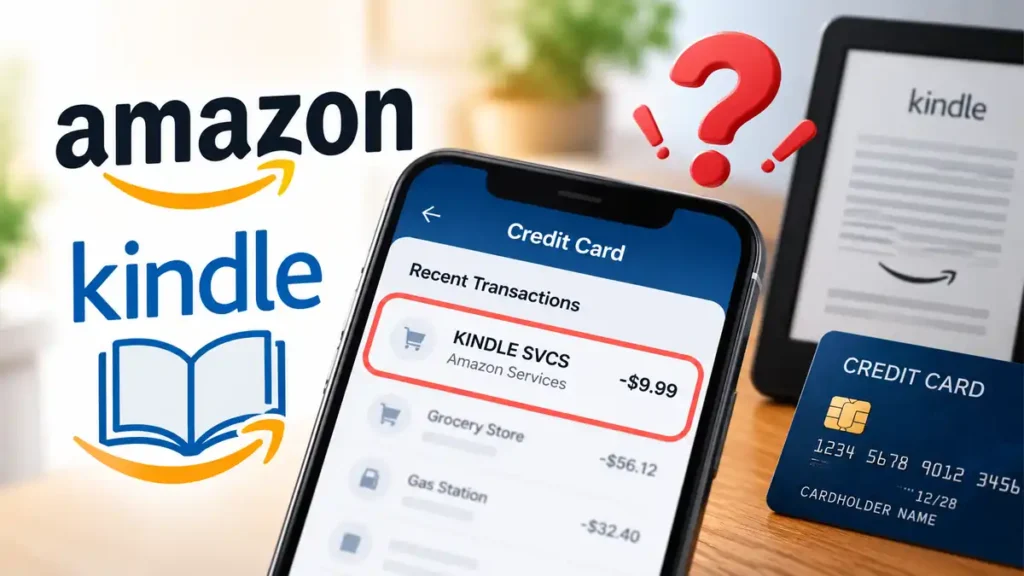
If you notice a KINDLE SVCS charge on credit card statements, you may wonder whether it is a legitimate Amazon payment or an unauthorized transaction. The charge may be associated with Kindle-related digital purchases or services, but the statement description alone cannot confirm the exact purchase. This guide explains possible reasons for the charge, how to investigate it, and what to do if you cannot identify the payment.
What Is the KINDLE SVCS Charge?
“KINDLE SVCS” appears to be a Kindle-related billing descriptor, with “SVCS” commonly abbreviating “services.” Amazon confirms that its digital charges can include Kindle books, Kindle Unlimited, app downloads, and other digital content. However, Amazon’s general charge-identification guide does not definitively map every “KINDLE SVCS” descriptor to a specific purchase. Check Amazon’s official charge guide for more information.
Why Is KINDLE SVCS Charging My Credit Card?
Several possibilities could explain the transaction.
Kindle eBook or Digital Purchase
You may have purchased a Kindle eBook or other eligible digital content through Amazon. You do not need a Kindle e-reader to buy Kindle books; purchases can also be made through Amazon’s website or compatible apps.
Kindle Unlimited or Another Subscription
An active digital subscription or automatic renewal could explain a recurring charge. Check your Amazon Memberships and Subscriptions page for relevant memberships and billing details.
A Family Member or Another Amazon Account
An authorized card user may have purchased digital content, or your payment method may be associated with another Amazon account. Check alternative email addresses and ask household members who have permission to use your card.
A Potentially Unauthorized Transaction
If none of these explanations fits, someone may have used your card without permission. Do not automatically assume the charge is fraudulent, but investigate promptly if you do not recognize it.
How to Find Out What the KINDLE SVCS Charge Is For
Follow these steps to investigate the transaction.
- Check Amazon payment transactions. Visit Your Payments and compare the transaction amount and date with your statement.
- Review order history and digital purchases. Open Amazon Order History and look for Kindle eBooks or other purchases. Check Digital Orders if available.
- Check subscriptions. Review your Amazon Memberships and Subscriptions page for recurring payments.
- Check other accounts and authorized users. Consider alternative Amazon accounts and purchases made by people authorized to use your payment method.
- Contact Amazon. If the transaction remains unidentified, use Amazon Customer Service. Provide the date, amount, and statement descriptor, and ask whether Amazon can identify the payment.
What Should You Do If You Don’t Recognize the Charge?
If Amazon’s records do not explain the payment, take these precautions:
- Contact your card issuer: Call the number on the back of your card or use its official website to report the unfamiliar transaction and ask about disputing it.
- Protect your card: If you suspect fraud, ask your issuer whether you should lock or replace the card. Change your Amazon password if you suspect your account has been compromised.
- Keep records: Save relevant statements, transaction details, support messages, and dispute reference numbers.
For US credit-card billing errors, the Consumer Financial Protection Bureau explains that written notice generally must reach the card issuer within 60 calendar days after the charge first appears on the statement to preserve important billing-error rights. Follow your issuer’s dispute instructions and act promptly.
Is KINDLE SVCS a Legitimate Charge or a Scam?
The descriptor alone cannot establish whether a specific payment is legitimate or authorized. It may represent a genuine Kindle-related purchase, but a transaction processed through a legitimate merchant can still be unauthorized by the cardholder.
Verify the payment through Amazon’s official website. If you cannot identify it or suspect unauthorized use, contact your card issuer rather than relying on unverified phone numbers or online claims.
Can You Get a Refund for a KINDLE SVCS Charge?
A refund may be possible depending on the purchase, applicable Amazon policies, and the circumstances. Contact Amazon to ask about refunds for mistaken purchases or unwanted subscriptions. If you believe the transaction was unauthorized, also contact your card issuer about a dispute. Cancelling a subscription does not automatically refund a previous payment.
Frequently Asked Questions
What does KINDLE SVCS mean on a credit card statement?
It appears to be a Kindle-related billing descriptor. Check Amazon’s transaction records to identify the specific payment.
Why am I being charged if I don’t own a Kindle?
You can purchase Kindle books or eligible digital services without owning a Kindle device. Another account, an authorized user, or unauthorized card use may also explain the charge.
Why can’t I find the charge in my Amazon account?
Check other Amazon accounts, digital orders, subscriptions, and authorized users. If the transaction remains unidentified, contact Amazon and your card issuer if you suspect fraud.
How do I stop recurring KINDLE SVCS charges?
Identify the subscription first, then review its cancellation options in your Amazon account. Contact Amazon if you cannot determine what is generating the charge.
Can I dispute a KINDLE SVCS charge with my bank?
Yes. Contact your card issuer and follow its process for reporting an unauthorized or incorrect transaction. Report it promptly and keep supporting records.
Final Thoughts
A KINDLE SVCS charge on your credit card may be connected to Amazon Kindle-related digital billing, but the descriptor alone cannot confirm the exact purchase. Check your Amazon transactions, order history, and subscriptions first. If you still cannot identify the payment, contact Amazon and notify your card issuer promptly if you suspect unauthorized use.
Read Also:-ALM DIGITAL LTD Charge on Credit Card

Emma Rose is a U.S.-based personal finance writer and a regular contributor at Cardix.us. She focuses on topics like credit cards, credit scores, and everyday money management. Emma’s writing makes complex financial concepts simple and practical, helping readers make smarter credit and spending decisions with confidence.

