
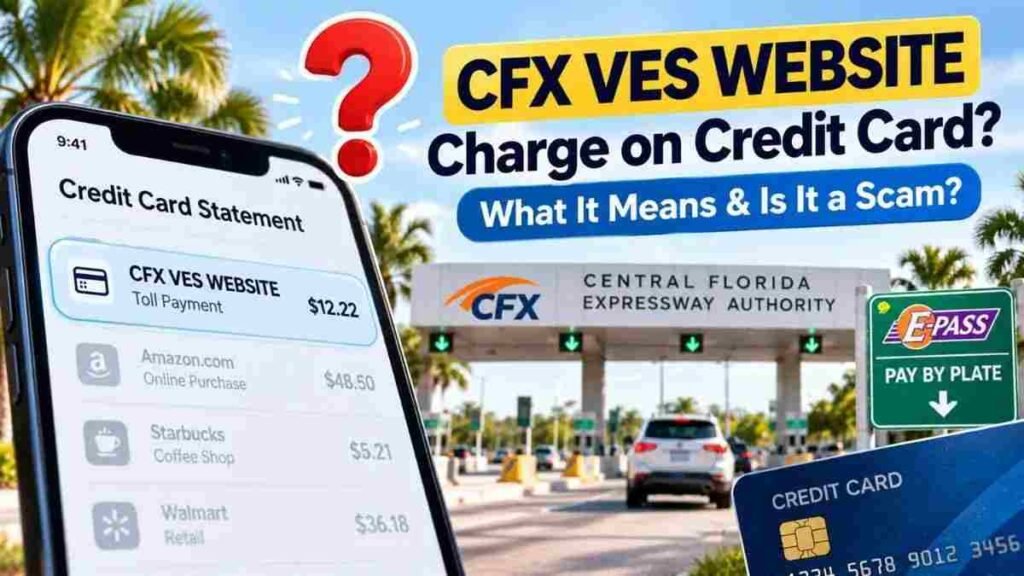
Seeing a CFX VES WEBSITE charge on credit card can be confusing, especially if you do not remember making a toll payment. This descriptor is generally associated with a toll-related payment connected to the Central Florida Expressway Authority (CFX). It may relate to a toll, Pay By Plate invoice, or online payment. However, a card statement charge should not be confused with fake CFX toll texts, which are part of a separate phishing scam.
What Is the CFX VES WEBSITE Charge?
CFX stands for Central Florida Expressway Authority, which operates toll roads and provides E-PASS services in Central Florida.
When a CFX toll or invoice is paid online, the transaction may appear on your credit-card statement as “CFX VES WEBSITE” rather than simply showing CFX or E-PASS.
The “WEBSITE” portion is consistent with an online payment channel. CFX provides online payment options for toll-related charges, including Pay By Plate invoices.
CFX also uses VES terminology in connection with its E-PASS and toll operations. However, CFX’s public consumer information does not clearly establish a specific full expansion of the acronym, so unofficial explanations should be treated cautiously.
Is CFX VES WEBSITE a Legitimate Charge?
The CFX VES WEBSITE descriptor is associated with genuine CFX toll-related transactions. Public government financial records have documented the exact descriptor in connection with toll payments.
However, that does not mean every individual transaction is automatically authorized. If you do not recognize the charge, you should verify it before assuming it is legitimate or fraudulent.
Why Did I Get a CFX VES WEBSITE Charge?
There are several possible explanations:
You Drove on a Central Florida Toll Road
If you recently traveled through Orlando or Central Florida, you may have used a toll facility operated by or associated with CFX. Electronic toll collection can result in a payment appearing later on your card statement.
You Paid a Pay By Plate Invoice
You can incur a CFX toll without having an E-PASS transponder. With Pay By Plate, the vehicle’s license plate can be captured at a toll point, allowing the toll to be associated with the registered vehicle.
If you later pay the resulting invoice online by credit card, the transaction may appear as CFX VES WEBSITE.
Someone Else Used Your Vehicle
A family member, employee, friend, or other authorized driver may have used your vehicle on a Central Florida toll road. Because Pay By Plate is connected to the vehicle’s license plate, the charge may not correspond to a trip you personally made.
You Used a Rental Car
If you rented a vehicle in Florida, check your rental agreement and toll records. Toll charges can appear after the rental period, depending on the rental company’s billing process.
You Paid an Older Toll Invoice
The date you drove through a toll and the date you paid the related invoice may be different. Compare the card transaction with your travel history and toll records before assuming the charge is unauthorized.
What Is Pay By Plate?
Pay By Plate allows certain tolls to be processed using a vehicle’s license plate rather than an E-PASS transponder.
A simplified process looks like this:
Drive through toll → license plate is captured → toll is billed → invoice is generated → invoice is paid → payment appears on your card statement.
This is why a CFX-related credit-card charge may appear even though you did not stop at a toll booth or actively use an E-PASS transponder.
Is CFX VES WEBSITE a Scam?
Not automatically.
A CFX VES WEBSITE charge on a credit-card statement can represent a legitimate toll-related payment. However, an unexpected CFX toll text message containing a payment link is a different situation.
CFX warns consumers about phishing messages that impersonate CFX or E-PASS and claim that the recipient has an unpaid toll. CFX specifically says it will not text customers about an outstanding toll balance.
The FTC and FBI have also warned about nationwide toll-payment smishing campaigns designed to steal payment and personal information.
How to Verify a CFX VES WEBSITE Charge
If you do not recognize the transaction:
- Check the amount and transaction date on your card statement.
- Review recent travel to Orlando or Central Florida.
- Ask whether someone else used your vehicle.
- Check for a CFX, E-PASS, or Pay By Plate invoice.
- Access your CFX/E-PASS account through the official website or app, not through a text-message link.
- If you still cannot identify the payment, contact E-PASS and your credit-card issuer.
CFX currently lists E-PASS customer service at 407-823-7277 and 1-800-353-7277.
What If I Received a CFX Toll Text?
Do not click the payment link or enter your credit-card information.
Instead, independently visit the official CFX/E-PASS website or contact the toll agency using verified contact information. The FTC recommends avoiding links in unexpected toll messages, while the FBI advises victims who provided information to secure their financial accounts and dispute unfamiliar charges.
What If I Never Traveled to Florida?
If you have never traveled to Central Florida, first check whether someone else used your vehicle, you had a Florida rental car, or an older toll payment explains the transaction.
If you still cannot connect the charge to any legitimate activity, contact CFX/E-PASS and your credit-card issuer to investigate it.
Final Takeaway
A CFX VES WEBSITE charge on credit card is generally associated with a CFX toll-related payment, including payments connected with Pay By Plate or online toll invoices.
The descriptor itself is not automatically a scam. However, fake CFX/E-PASS toll texts are a documented phishing threat. If you receive an unexpected toll message, never use its payment link. Verify the information directly through official CFX/E-PASS channels and contact your card issuer if an unfamiliar transaction cannot be explained.
Read Also:-Medieval Seaside Market Charge on Credit Card

Emma Rose is a U.S.-based personal finance writer and a regular contributor at Cardix.us. She focuses on topics like credit cards, credit scores, and everyday money management. Emma’s writing makes complex financial concepts simple and practical, helping readers make smarter credit and spending decisions with confidence.

