
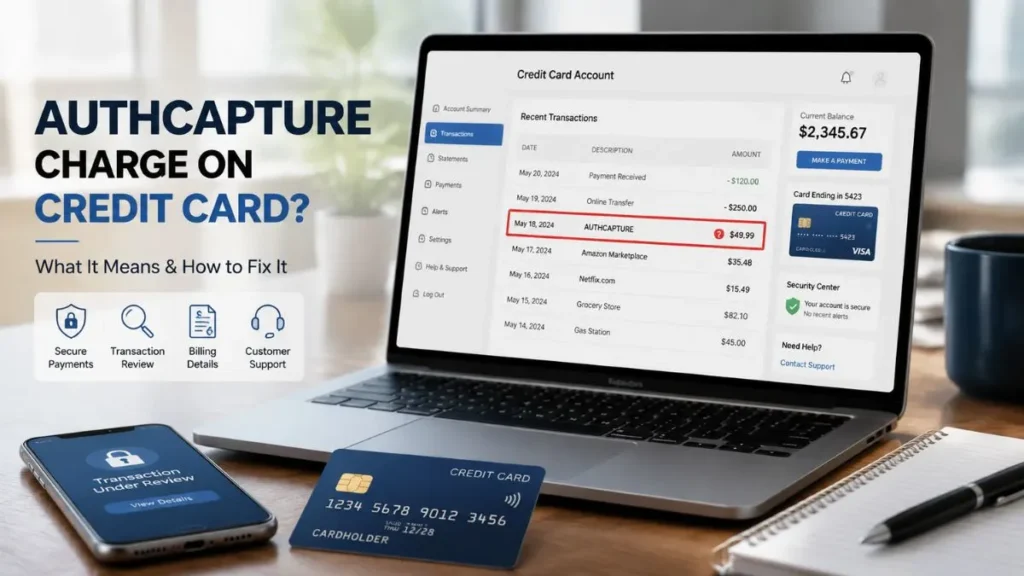
Seeing an AUTHCAPTURE charge on credit card statements can be confusing, especially when you do not recognize the transaction. Many users wonder whether the charge is a fraud attempt, a subscription renewal, or a legitimate payment processed through a third-party platform.
The important thing to understand is that AUTHCAPTURE does not always mean you purchased something directly from AuthCapture. In many cases, it may appear because a merchant you purchased from uses AuthCapture-related payment services to process transactions.
In this guide, we explain what an AUTHCAPTURE charge means, why it appears on your credit card statement, how to identify the merchant, and what steps you can take to cancel, request a refund, or dispute an unauthorized transaction.
What Is an AUTHCAPTURE Charge on a Credit Card?
An AUTHCAPTURE charge on a credit card can refer to the two-step payment process known as authorization and capture.
Authorization (AUTH)
Authorization is the first step of a card payment.
When you make a purchase:
- The merchant sends a payment request to your bank.
- The bank checks whether your card is valid.
- Available credit or funds are verified.
- The transaction amount may be temporarily approved or held.
At this stage, the payment is approved but not fully completed.
Capture
Capture is the second step where the merchant collects the approved payment amount.
After capture:
- The payment moves from pending to completed.
- Funds are processed to the merchant.
- The charge appears as a finalized transaction on your statement.
Simple Example
You purchase a $50 product online:
- Your bank approves the transaction.
- The merchant confirms the order.
- The merchant captures the payment.
- The $50 charge appears on your credit card statement.
This authorization and capture system is commonly used for online purchases, subscriptions, hotels, and rental services.
What Is AUTHCAPTURE.COM?
AUTHCAPTURE.COM may appear as a billing descriptor or transaction-related identifier on your credit card statement.
It does not always represent the actual company where you made a purchase. Some merchants use third-party payment platforms to process payments, manage billing, or handle transaction support.
For example:
You purchase a service from Company A, but Company A uses AuthCapture-related payment services. Your statement may show AUTHCAPTURE instead of the original merchant name.
If you do not recognize the charge, your goal should be to identify the actual merchant behind the transaction.
Why Did AUTHCAPTURE Charge My Credit Card?
There are several common reasons why an AUTHCAPTURE charge may appear.
Subscription Renewal
A common reason is an automatic subscription payment.
This can happen when:
- A free trial converts into a paid plan.
- A monthly or yearly membership renews.
- A software service continues billing automatically.
Examples include:
- Software subscriptions
- Online memberships
- Digital services
- Premium tools
Many users forget about subscriptions they signed up for months earlier.
Online Purchase Through a Merchant
You may have purchased a product or service from a company that uses AuthCapture for payment processing.
In this situation:
- The merchant receives your order.
- Payment is processed through a third-party system.
- Your statement may display AUTHCAPTURE instead of the seller’s name.
This does not necessarily mean AuthCapture itself sold you something.
Failed Payment Retry
Sometimes merchants retry previously failed payments.
For example:
- A payment failed because of a declined card or temporary issue.
- The merchant attempts the transaction again.
- The successful payment appears later on your statement.
Recurring Billing Agreement
If you previously agreed to recurring billing, the merchant may continue charging your card according to the subscription terms.
Recurring payments are common for:
- Memberships
- Online services
- Software plans
- Digital products
Is AUTHCAPTURE a Legitimate Charge or a Scam?
An AUTHCAPTURE charge is not automatically a scam.
Many legitimate businesses use third-party payment platforms, and payment-related names can appear on credit card statements instead of the actual merchant.
However, you should investigate the charge if:
- You do not recognize it.
- You never signed up for a service.
- Multiple unexpected charges appear.
- The merchant information is unavailable.
Remember: AUTHCAPTURE appearing on your statement alone does not prove fraud. The first step is identifying the merchant and verifying the transaction.
How to Find the Merchant Behind an AUTHCAPTURE Charge
If you do not recognize the transaction, follow these steps:
Check Your Email
Search your inbox and spam folder for:
- AUTHCAPTURE
- authcapture.com
- Receipt
- Order confirmation
- Subscription
- Payment confirmation
You may find the original merchant details.
Review Recent Purchases
Check:
- Online orders
- Free trials
- App subscriptions
- Membership accounts
- Software services
A forgotten subscription is often the reason behind an unfamiliar charge.
Check Your Credit Card Statement
Look for:
- Full transaction description
- Charge amount
- Date
- Reference number
- Additional merchant details
Your card issuer may have more information than what appears online.
How to Cancel an AUTHCAPTURE Subscription
To stop future AUTHCAPTURE-related charges:
- Identify the merchant behind the transaction.
- Contact the merchant’s customer support.
- Request subscription cancellation.
- Ask for confirmation that future billing has stopped.
- Keep emails, screenshots, or cancellation records.
If you cannot identify the merchant, contact AuthCapture support or your credit card provider for assistance.
How to Get a Refund for an AUTHCAPTURE Charge
Refunds are usually handled by the original merchant that provided the product or service.
To request a refund:
- Contact the merchant.
- Explain why you want a refund.
- Provide transaction details.
- Request written refund confirmation.
- Keep all communication records.
How to Dispute an Unauthorized AUTHCAPTURE Charge
If you believe the charge is unauthorized:
- Contact your credit card issuer.
- Report the transaction as unauthorized.
- Request an investigation.
- Follow your bank’s dispute process.
Do not ignore unknown charges. Monitor your statements regularly to protect your account.
AUTHCAPTURE Charge FAQs
What is AUTHCAPTURE.COM on my credit card statement?
AUTHCAPTURE.COM may be a billing descriptor connected to payment processing services used by a merchant. It may not be the actual company where you made the purchase.
Is AUTHCAPTURE a company that charged my card?
Not always. It may represent a payment platform or transaction service used by another merchant.
Why did AUTHCAPTURE charge me?
Possible reasons include a subscription renewal, online purchase, recurring billing, or payment retry.
Can I get a refund from AUTHCAPTURE?
Refunds are usually handled by the original merchant. You should contact the seller first.
Final Verdict
An AUTHCAPTURE charge on credit card statements does not automatically mean fraud. It is often related to normal payment processing through a merchant or third-party billing platform.
However, every unknown charge should be verified. Identify the merchant, cancel unwanted subscriptions, request refunds when necessary, and contact your credit card issuer if you believe the transaction is unauthorized.
Read Also:-Anlatan Inc Charge on Credit Card

Emma Rose is a U.S.-based personal finance writer and a regular contributor at Cardix.us. She focuses on topics like credit cards, credit scores, and everyday money management. Emma’s writing makes complex financial concepts simple and practical, helping readers make smarter credit and spending decisions with confidence.

