
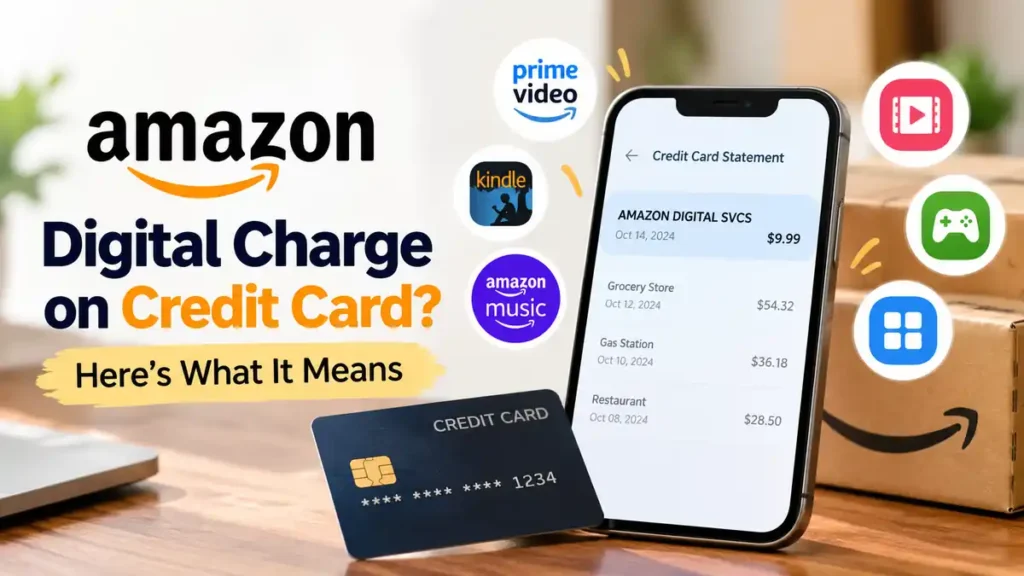
An Amazon digital charge on a credit card usually relates to a digital product, subscription, or online service purchased through Amazon. It may appear even when you do not remember making a recent purchase.
The charge could be for a Kindle book, Prime Video rental, Amazon Music subscription, app download, or recurring membership. Here is how to identify the payment and what to do if you do not recognize it.
What Is an Amazon Digital Charge on a Credit Card?
An Amazon digital charge is a payment for digital content or services rather than a physical product. Your credit card statement may display a description such as “Amazon Digital Svcs” or “amzn.com/bill.”
Common reasons include:
- Kindle purchases: eBooks and other digital reading content.
- Prime Video: Movie rentals, purchases, or channel subscriptions.
- Amazon Music: Paid music plans or recurring subscriptions.
- Apps and games: Digital downloads and in-app purchases.
- Automatic renewals: Subscriptions that renew monthly or annually.
The statement description can help you identify the payment, but it does not always reveal the exact product or service.
Why Is Amazon Charging My Credit Card?
If you do not remember making a purchase, several explanations are possible.
A subscription renewed automatically. A free trial or paid membership may have converted into a recurring charge.
Someone else used your account. A family member or another authorized user may have purchased digital content.
You used a different Amazon account. The transaction may be associated with another email address or account.
You see a temporary authorization. Some payment checks appear on a statement before becoming actual charges. Check whether the transaction is pending or posted.
Amazon also explains that separate shipments can result in multiple charges for one order. Therefore, multiple transactions do not automatically indicate fraud.
How to Identify an Amazon Digital Charge
Follow these steps to find out where the money went:
- Open Amazon’s transaction history. Sign in to your account and compare the transaction date and amount with your credit card statement.
- Check Digital Orders. Look for Kindle purchases, video rentals, apps, and other digital content.
- Review subscriptions. Check Prime Video Channels, Kindle Unlimited, Amazon Music, and other memberships for active or recently renewed plans.
- Check other accounts. If you have more than one Amazon account, review each one.
- Ask Amazon for help. If the charge remains unexplained, contact Amazon Customer Service and provide the date and amount.
You can start with Amazon’s official Identify an Amazon Charge guide.
How to Stop Unwanted Amazon Digital Charges
Once you identify the source, take the appropriate action.
- Cancel an unwanted subscription through the relevant membership or subscription settings.
- Review renewal dates before starting free trials.
- Remove payment methods you no longer want associated with your account, where permitted.
- Secure your Amazon account by changing your password and reviewing account access if you suspect someone else used it.
Remember that canceling a subscription generally prevents future renewals; it does not automatically guarantee a refund for an earlier payment. Contact Amazon to ask about refund eligibility.
What If You Do Not Recognize the Charge?
If the payment does not appear in your Amazon accounts, treat it as potentially unauthorized.
Contact Amazon and your credit card issuer promptly. Explain that you do not recognize the transaction and ask how to report it. Your card issuer may recommend locking or replacing your card if fraud is suspected.
For US credit cards, the Consumer Financial Protection Bureau advises consumers to contact their card company promptly and send a written billing-error notice within 60 calendar days after the statement showing the error was sent to help protect their rights. Check your card agreement and follow your issuer’s dispute instructions.
Read the CFPB’s official guide to disputing credit card charges.
Frequently Asked Questions
Is an Amazon digital charge legitimate?
It can be legitimate if it matches a digital purchase or subscription. However, the statement description alone cannot prove that a payment is genuine or authorized.
Why am I charged every month?
A recurring digital subscription or membership may be renewing automatically. Review your active subscriptions and renewal dates.
Can I get a refund for an Amazon digital charge?
Possibly. Refund eligibility depends on the product, service, and circumstances. Contact Amazon to review the transaction and available options.
Should I dispute an unfamiliar Amazon charge?
Yes, if you cannot identify or authorize the payment after checking your accounts. Contact Amazon and your card issuer promptly rather than ignoring the transaction.
Final Thoughts
An Amazon digital charge on your credit card often comes from a digital purchase or subscription, but unfamiliar payments deserve attention. Check your Amazon transactions, review recurring memberships, and contact Amazon if you need help identifying the charge. If you still cannot explain it, report it to your credit card issuer promptly to protect your account.
Read Also:-Librotech Charge on Credit Card

Emma Rose is a U.S.-based personal finance writer and a regular contributor at Cardix.us. She focuses on topics like credit cards, credit scores, and everyday money management. Emma’s writing makes complex financial concepts simple and practical, helping readers make smarter credit and spending decisions with confidence.

