
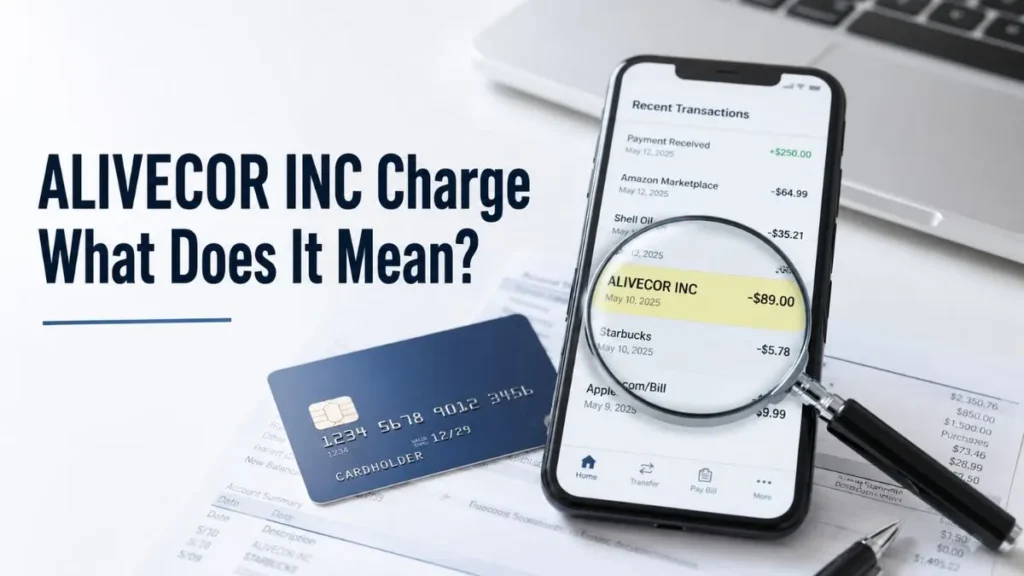
If you’ve noticed an ALIVECOR INC charge on credit card statements and don’t recognize it, you’re probably wondering whether it’s legitimate or something you should investigate. In most cases, this charge is connected to AliveCor’s Kardia heart-monitoring devices or subscription services. However, many cardholders don’t immediately recognize the billing descriptor because it appears under the company name rather than the product name.
Quick Answer
An ALIVECOR INC charge on credit card statements is usually linked to an AliveCor purchase, KardiaMobile device, or KardiaCare subscription. While the charge is generally legitimate, you should verify the amount, date, and account activity if you don’t remember making the purchase.
What Is ALIVECOR INC?
AliveCor is a U.S.-based medical technology company that develops portable ECG devices and digital heart-monitoring solutions. Founded in 2011, the company is best known for helping users monitor heart rhythms using smartphone-connected devices.
Popular AliveCor products include:
- KardiaMobile
- KardiaMobile 6L
- KardiaMobile Card
- KardiaCare Membership
Because credit card statements often display the merchant’s legal name, purchases may appear as ALIVECOR INC rather than Kardia.
Why Is There an ALIVECOR INC Charge on My Credit Card?
Several situations can cause an ALIVECOR INC charge to appear on your statement.
Kardia Device Purchase
If you recently purchased a KardiaMobile, KardiaMobile 6L, or KardiaMobile Card, the charge may appear as ALIVECOR INC instead of the product name.
KardiaCare Subscription Renewal
Many recurring charges come from KardiaCare memberships. Monthly and annual plans automatically renew unless canceled before the next billing date.
Family Member Purchase
If multiple people use the same card, a spouse, child, or authorized user may have purchased a device or subscription using your payment method.
Free Trial Conversion
Some users sign up for a free trial and forget to cancel it. Once the trial ends, the membership automatically converts into a paid subscription.
Healthcare Program Enrollment
Certain healthcare providers and wellness programs use AliveCor technology. In some cases, related charges may appear under the ALIVECOR INC billing descriptor.
Is ALIVECOR INC Legitimate or a Scam?
In most cases, ALIVECOR INC is a legitimate charge.
AliveCor is a recognized healthcare technology company with FDA-cleared products used by consumers and medical professionals throughout the United States.
Most complaints found online involve:
- Unexpected subscription renewals
- Billing confusion
- Forgotten memberships
- Cancellation issues
These complaints typically relate to subscription management rather than fraud.
How to Verify an ALIVECOR INC Charge
If you don’t recognize the charge, follow these steps before contacting your bank.
Check Your Email
Search your inbox for:
- AliveCor
- Kardia
- KardiaCare
- Order Confirmation
- Payment Receipt
Many users find a forgotten receipt within minutes.
Review Your Kardia Account
Log in to your account and check:
- Purchase history
- Active subscriptions
- Membership status
- Billing details
Check App Store and Google Play Subscriptions
If you subscribed through a mobile device, review your Apple App Store or Google Play subscriptions to see whether KardiaCare is active.
Verify Family Purchases
Ask anyone who shares the card whether they purchased a Kardia device or enrolled in KardiaCare.
Common ALIVECOR INC Charges
| Charge Type | Likely Reason |
|---|---|
| One-Time Charge | Kardia device purchase |
| Monthly Charge | KardiaCare membership |
| Annual Charge | Subscription renewal |
| Unexpected Charge | Forgotten trial or family purchase |
What Should You Do If You Don’t Recognize the Charge?
Step 1: Gather Transaction Details
Write down:
- Charge amount
- Transaction date
- Merchant descriptor
- Card used
Step 2: Contact AliveCor Support
Provide the transaction details and ask them to verify whether the charge is associated with an account or subscription.
Step 3: Cancel the Subscription if Necessary
If the charge comes from an unwanted membership, cancel the subscription before the next renewal date.
Step 4: Contact Your Credit Card Issuer
If nobody recognizes the charge and AliveCor cannot verify it, contact your bank and request a transaction investigation.
How to Cancel a KardiaCare Subscription
You can cancel your subscription through:
AliveCor Account
Log in and manage your membership settings directly.
Apple App Store
Settings → Apple ID → Subscriptions → KardiaCare → Cancel Subscription
Google Play Store
Google Play → Payments & Subscriptions → Subscriptions → KardiaCare → Cancel
Always keep the cancellation confirmation for your records.
Red Flags to Watch For
Investigate the charge further if:
- You never purchased a Kardia product.
- No AliveCor account exists under your email.
- The charge amount looks unusual.
- Multiple charges appear unexpectedly.
- You suspect your card information was compromised.
Frequently Asked Questions
What is ALIVECOR INC on my bank statement?
It is usually a billing descriptor for AliveCor products or KardiaCare subscriptions.
Is ALIVECOR INC a scam?
No. AliveCor is a legitimate medical technology company.
Why am I being charged monthly by ALIVECOR INC?
Monthly charges are commonly linked to KardiaCare subscription renewals.
Can I dispute an ALIVECOR INC charge?
Yes. If you cannot verify the transaction, contact AliveCor first and then your card issuer if necessary.
Final Verdict
An ALIVECOR INC charge on credit card statements is most often associated with a Kardia device purchase or a KardiaCare subscription renewal. In the majority of cases, the charge is legitimate. However, if you don’t recognize the transaction after checking receipts, subscriptions, and family purchases, contact AliveCor and your credit card issuer immediately. Taking quick action can help resolve billing issues and protect your account from unauthorized activity.
Read Also:-ZEN DISCOUNT ONLINE Charge on Credit Card

Emma Rose is a U.S.-based personal finance writer and a regular contributor at Cardix.us. She focuses on topics like credit cards, credit scores, and everyday money management. Emma’s writing makes complex financial concepts simple and practical, helping readers make smarter credit and spending decisions with confidence.

