
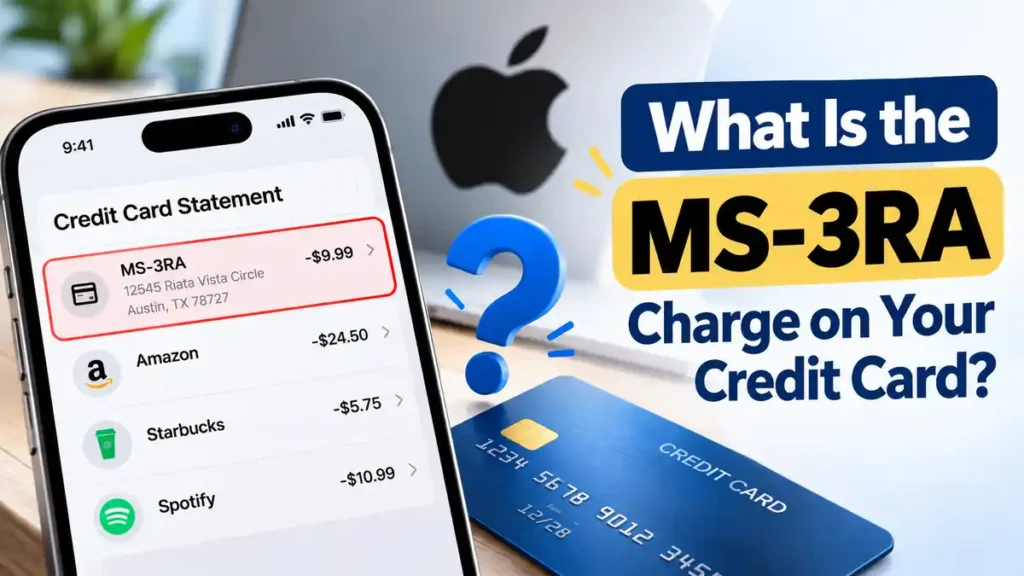
Have you noticed an unfamiliar MS-3RA charge on your credit card statement? This descriptor has been associated with Apple-related billing in consumer reports, particularly when the address 12545 Riata Vista Circle, Austin, TX 78727, appears. However, the descriptor alone cannot confirm the exact merchant or purchase. Here’s how to investigate the charge, check possible Apple payments, and protect your account if the transaction remains unexplained.
What Is the MS-3RA Charge on a Credit Card?
MS-3RA is a billing descriptor that may appear on a credit card statement. A billing descriptor identifies a transaction, but it does not always clearly explain what was purchased.
Consumer-submitted reports associate MS-3RA and the Austin address with Apple-related payments. These reports offer a useful starting point, but they are not definitive proof that every transaction with this descriptor comes from Apple.
If you see this charge, verify the transaction using your purchase records before deciding whether it is legitimate or unauthorized.
Why Did I Get an MS-3RA Charge?
If the charge is connected to Apple, several explanations are worth checking:
- App Store purchases: You may have purchased an app, game, digital content, or an in-app feature.
- iCloud+ storage: A recurring storage subscription or plan upgrade may appear as a payment.
- Apple subscriptions: Services such as Apple Music may renew automatically after a billing period or eligible free trial.
- Family Sharing: An eligible family member’s purchase may be billed to the family organizer’s payment method.
- Another Apple Account: The transaction may be linked to an account you do not regularly use.
These are possibilities to investigate, not confirmed causes of every MS-3RA charge.
Is MS-3RA an Apple or Microsoft Charge?
The abbreviation may look like it refers to Microsoft, but that alone does not establish the merchant. Consumer reports associate MS-3RA and the Austin address with Apple-related billing. Microsoft’s official billing investigation guide explains how to investigate Microsoft charges but does not independently confirm MS-3RA as a Microsoft descriptor.
If your statement includes the full Austin address, checking your Apple purchase history first is a reasonable step. Still, verify the individual transaction rather than assuming every charge with this description comes from Apple.
How to Identify an MS-3RA Charge
Follow these steps to investigate the payment:
1. Check Your Apple Purchase History
Visit Apple’s purchase history page and sign in to your Apple Account. Search for the transaction amount and compare it with the date on your statement.
2. Review Your Subscriptions
Check your active subscriptions and recent billing activity. Look for recurring payments that match the amount, including iCloud+ or Apple Music.
3. Check Other Accounts and Family Purchases
If you have multiple Apple Accounts, review each relevant account. If you use Family Sharing, ask authorized family members whether they made a purchase using the shared payment method.
4. Compare the Amount and Date
Billing dates may differ from purchase dates, and Apple may group multiple purchases into one bill. Compare the total amount and available receipts before deciding that a transaction is unrelated.
5. Contact Apple Support
If you cannot find a matching payment, contact Apple Support for help identifying the transaction.
What If You Don’t Recognize the MS-3RA Charge?
If the charge remains unexplained, take these precautions:
- Contact your credit card issuer using the number on the back of your card.
- Report the transaction as unrecognized and ask about the dispute process.
- If you suspect unauthorized activity, ask whether locking or replacing your card is appropriate.
- Save the statement, transaction date, amount, and support reference numbers.
An unfamiliar descriptor does not automatically prove fraud. However, act promptly if you suspect unauthorized activity because dispute procedures and applicable consumer protections may have deadlines.
Can You Get a Refund for an MS-3RA Charge?
A refund may be possible if you identify an eligible Apple purchase. Visit Apple’s official refund page and follow the instructions to submit a request.
If you cannot identify the payment, contact Apple Support first. If you believe the transaction was unauthorized, contact your card issuer about a formal dispute.
A merchant refund request and a credit card dispute are different processes. Eligibility and outcomes depend on the circumstances.
How to Prevent Unexpected Charges
- Review your subscriptions and renewal dates regularly.
- Use available purchase authentication, such as Face ID or a password.
- Check Family Sharing payment arrangements.
- Monitor statements and enable card transaction alerts.
- Review unfamiliar payments as soon as they appear.
These habits can help you identify unexpected transactions sooner.
Frequently Asked Questions
What is the MS-3RA charge on my credit card?
It is an unfamiliar billing descriptor associated with Apple-related payments in consumer reports. Verify the individual transaction to identify its source.
Is MS-3RA a Microsoft charge?
The abbreviation alone does not establish a Microsoft connection. Microsoft’s general billing guidance does not independently confirm MS-3RA as its descriptor.
What is the MS-3RA Austin, Texas address?
The reported address is 12545 Riata Vista Circle, Austin, TX 78727. The address may provide a clue, but it does not prove what you purchased.
Could MS-3RA be an iCloud charge?
Possibly, if you have an iCloud+ subscription. Compare the charge with your subscription and purchase history.
Is the MS-3RA charge fraudulent?
Not necessarily. Check your records and contact Apple or your card issuer if you cannot identify it.
Final Thoughts
The MS-3RA charge on a credit card has been associated with Apple-related billing in consumer reports, especially when the Austin address appears. However, the descriptor alone cannot confirm the exact purchase or prove that every transaction is from Apple.
Start by checking your Apple purchase history and subscriptions. If you cannot identify the payment, contact Apple Support. If it remains unexplained or appears unauthorized, contact your card issuer to discuss an investigation or dispute.
Read Also:-Amazon Digital Charge on Credit Card

Emma Rose is a U.S.-based personal finance writer and a regular contributor at Cardix.us. She focuses on topics like credit cards, credit scores, and everyday money management. Emma’s writing makes complex financial concepts simple and practical, helping readers make smarter credit and spending decisions with confidence.