
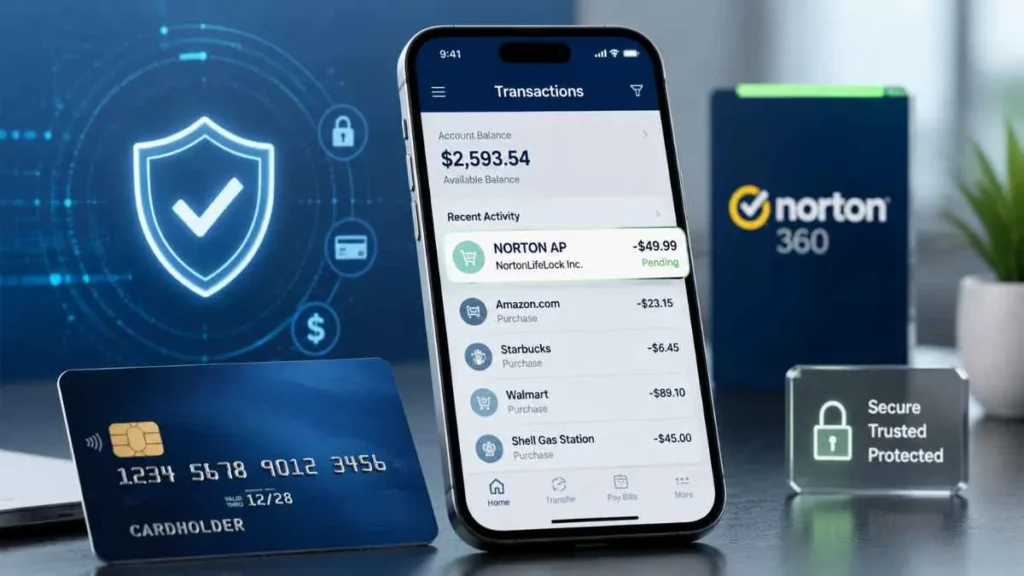
Did you notice a Norton AP charge on credit card and do not recognize the payment? Many users become concerned when they see this charge on their bank statement and wonder if it is a fraudulent transaction.
In most cases, a Norton AP charge is related to a Norton subscription payment, automatic renewal, or monthly billing plan. The “AP” identifier is usually connected to Norton’s billing system and helps identify the transaction.
This guide explains what Norton AP charge means, why it appears, how to verify the payment, and how to stop future charges.
What Is Norton AP Charge on a Credit Card?
A Norton AP charge on credit card is a billing descriptor that appears when Norton processes a payment for one of its security services.
The charge may be related to products such as:
- Norton Antivirus
- Norton 360
- Norton VPN
- Identity protection services
- Privacy and security add-ons
Your credit card statement may show a transaction like:
NORTON *AP123456789
Here:
- NORTON = The merchant or service provider
- AP123456789 = Transaction or order identifier connected to the billing record
The “AP” part does not usually represent a separate company. It is generally associated with Norton’s payment identification system.
Why Is Norton Charging My Credit Card?
There are several reasons why you may see a Norton AP charge.
Automatic Subscription Renewal
The most common reason is automatic renewal.
When you purchase a Norton subscription, automatic renewal may be enabled. When the subscription period ends, Norton charges your saved payment method to continue your protection.
For example:
You purchased Norton 360 for one year. If automatic renewal was not turned off, Norton may charge your credit card when the renewal date arrives.
Monthly Norton Billing Plan
Some Norton customers choose monthly payment plans instead of paying for a full year.
With monthly billing:
- Your card is charged regularly.
- The subscription remains active until canceled.
- The statement may show Norton *AP along with an order identifier.
If you see the same Norton charge every month, it may be an active monthly subscription.
Free Trial Converted Into a Paid Subscription
Another common reason is a forgotten free trial.
This can happen when:
- You started a Norton antivirus, VPN, or security trial.
- You added your payment details.
- You forgot to cancel before the trial ended.
After the trial period expires, the subscription may automatically become a paid plan.
Old or Forgotten Norton Subscription
Many users forget about older subscriptions.
You may have purchased Norton for:
- An old laptop
- A previous device
- Another email account
- Temporary security protection
Even if you no longer use the product, the subscription may still be active.
Someone Else Used Your Payment Method
A Norton charge may also happen if another person used your card.
Examples:
- A family member purchased Norton.
- A shared credit card was used.
- Someone with access to your payment details renewed a subscription.
Is Norton AP Charge Legit or a Scam?
A Norton AP charge is usually a legitimate billing transaction, especially if it appears directly on your credit card statement.
The charge is likely legitimate if:
- You have a Norton account
- You have an active subscription
- The amount matches your billing history
- You received a Norton renewal email
However, be careful because scammers sometimes use the Norton name in fake emails or phone calls.
A suspicious Norton-related message may include:
- Unknown phone numbers
- Urgent payment requests
- Requests for passwords
- Requests for remote computer access
Never share your personal information or allow remote access because of a suspicious Norton message.
How to Check Who Charged Your Card?
If you do not recognize the payment, follow these steps:
Check Your Norton Account
Log in to your Norton account and review:
- My Subscriptions
- Billing history
- Order history
Look for any active or previous Norton services connected to your email.
Search Your Email
Search your inbox for:
- Norton
- Subscription
- Renewal
- Order confirmation
- Payment receipt
You may find the original purchase or renewal notification.
Match Transaction Details
Compare:
- Charge amount
- Transaction date
- Order number
- Email address
This will help confirm whether the payment belongs to your account.
How to Stop Norton AP Charges?
If you do not want future charges:
Turn Off Automatic Renewal
Follow these steps:
- Sign in to your Norton account.
- Open My Subscriptions.
- Manage your subscription.
- Disable automatic renewal.
Remember, uninstalling Norton from your computer does not cancel your subscription. You must cancel the billing plan separately.
Can I Get a Refund for Norton AP Charge?
If you do not want the subscription or did not intend to renew it, contact Norton Support.
Keep these details ready:
- Norton account email
- Order number
- Transaction date
Charge amount
Refund eligibility depends on factors such as subscription type and when the charge was processed.
What Should I Do If I Don’t Recognize Norton AP Charge?
Follow these steps:
- Check your Norton account.
- Review your email receipts.
- Verify subscription details.
- Contact Norton Support.
- Contact your bank if you believe the charge is unauthorized.
Frequently Asked Questions
What does Norton *AP mean on my credit card?
Norton *AP usually refers to a Norton subscription billing transaction. The AP identifier is connected to Norton’s billing or order identification system.
Why did Norton charge me if I don’t use it?
Possible reasons include an old subscription, automatic renewal, forgotten trial, or another Norton service you previously activated.
Is Norton AP a fraudulent charge?
Usually, no. It is commonly linked to genuine Norton billing. However, always verify unknown charges through your Norton account.
How do I cancel Norton automatic payments?
Log in to your Norton account, open subscription settings, and turn off automatic renewal.
Final Conclusion
A Norton AP charge on credit card is generally a payment related to a Norton subscription, automatic renewal, or monthly billing service. Most unexpected charges happen because users forget about old subscriptions, free trials, or renewal settings.
Before assuming the charge is fraud, check your Norton account and billing history. If you do not want future payments, disable automatic renewal or cancel your subscription. If the charge is unauthorized, contact Norton Support and your credit card provider for help.

Emma Rose is a U.S.-based personal finance writer and a regular contributor at Cardix.us. She focuses on topics like credit cards, credit scores, and everyday money management. Emma’s writing makes complex financial concepts simple and practical, helping readers make smarter credit and spending decisions with confidence.

