
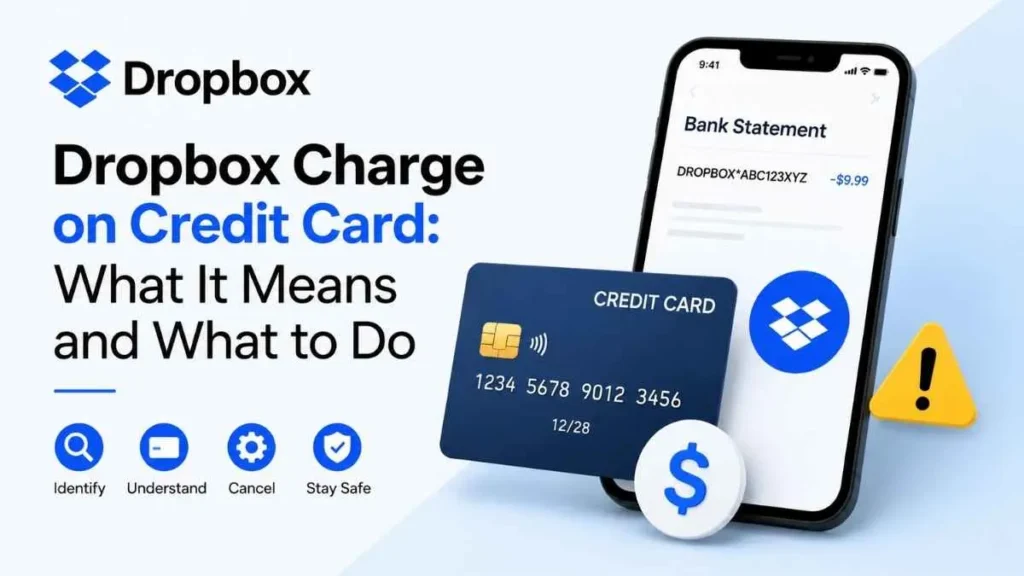
Seeing a Dropbox charge on credit card statements can be confusing, especially if you don’t remember signing up for a paid plan. An unfamiliar charge does not automatically mean fraud. It could be a subscription renewal, a free trial that became paid, an older Dropbox account, or another Dropbox service. This guide explains how to identify the charge, cancel a subscription, request a refund, and handle a payment you don’t recognize
What Is a Dropbox Charge on a Credit Card?
A Dropbox charge usually means your card was billed for a paid Dropbox subscription or service. Dropbox offers a free Basic plan, along with paid plans that provide additional storage and features.
A direct credit-card transaction may appear on your statement as:
The DROPBOX* portion identifies the merchant, while the characters that follow are the transaction ID. This ID can help Dropbox locate the payment and identify the account connected to it.
The statement description alone, however, does not always tell you why you were charged. You may need to check the transaction details and Dropbox billing information.
Why Did Dropbox Charge My Credit Card?
There are several common explanations for an unexpected Dropbox payment.
Your Subscription Renewed
A monthly or annual Dropbox subscription may have renewed automatically. Annual renewals can be easy to overlook because the charge may occur only once a year.
Check your Dropbox Billing or subscription settings to compare the payment with your plan and renewal information.
A Free Trial Became a Paid Subscription
Some Dropbox trials can convert to paid subscriptions when the trial ends if they aren’t canceled beforehand. Dropbox has offered 30-day trials for certain paid plans.
If you recently completed a trial, check the account’s subscription and billing history.
You Have Another Dropbox Account
Your current Dropbox account may not be the account being charged. The payment could be connected to:
- An old personal email
- A previous work email
- A second Dropbox account
- An account you no longer use
This is especially important if your current account shows the free Basic plan.
Someone Else Used the Card
A family member, coworker, or business administrator may have used the card for a Dropbox subscription. Check with authorized users before assuming the transaction is fraudulent.
The Charge Is for Another Dropbox Service
Not every Dropbox-related payment is for cloud storage. A statement may show a charge for Dropbox Sign or another Dropbox service.
For example, DROPBOX SIGN YEARLY may indicate a Dropbox Sign subscription rather than a standard Dropbox storage plan.
Your Replacement Card Was Charged
Replacing an expired card does not always stop recurring payments. Dropbox explains that banks or card networks may transfer recurring payment information to a replacement card.
How to Identify a Dropbox Charge on Your Credit Card
If you don’t recognize the payment, identify it before assuming it is fraud.
Find the Transaction ID
Check your credit-card statement for a description such as:
DROPBOX*ABC123XYZ456
Record the transaction ID, charge amount, and date.
Use Dropbox’s Charge Lookup Tool
Use Dropbox’s official credit-card charge lookup process. You may need the transaction ID and, if requested, the last four digits and expiration date of your card.
The lookup can help identify the email address associated with the transaction.
Check the Associated Account
Sign in to the account identified by the lookup and review its plan, invoices, receipts, and payment history.
If it is an old account, this may explain why your current Dropbox account shows Basic.
What If the Lookup Doesn’t Work?
If there is no transaction ID, the payment was processed through PayPal, or the card information doesn’t match, contact Dropbox Support with the transaction details available to you.
For PayPal payments, check your PayPal transaction history because Dropbox’s standard credit-card lookup does not apply.
I Have a Free Dropbox Account—Why Am I Being Charged?
A free Dropbox Basic account itself should not be treated as a paid subscription. If your account shows Basic but your card was charged, the payment may belong to another account or another Dropbox service.
Use the transaction ID lookup rather than checking only the account you’re currently signed into. If you cannot identify the payment, contact Dropbox Support and your credit-card issuer.
Is a Dropbox Charge a Scam or Fraud?
Not necessarily. An unfamiliar Dropbox charge can be legitimate, but an unauthorized charge is also possible.
It is more likely to be legitimate if it matches a subscription renewal, trial, old account, family or business account, or another Dropbox service.
You should investigate it as potentially unauthorized if you have never used Dropbox, never provided Dropbox with your card information, cannot identify the associated account, or see multiple suspicious charges on your card.
Dropbox Community discussions contain user-reported cases involving both unexpected legitimate billing and suspected unauthorized charges. These reports are examples, not proof that every unfamiliar Dropbox charge is fraudulent.
What to Do If the Dropbox Charge Is Unauthorized
Follow this order:
- Verify the transaction using the statement and Dropbox’s charge lookup.
- Contact Dropbox Support and provide the transaction details.
- Contact your credit-card issuer if you believe the payment was unauthorized.
- Review other card transactions for additional suspicious activity.
Don’t assume that every unfamiliar charge should immediately be disputed. First try to establish where the payment came from.
How to Cancel a Dropbox Subscription
If you can access the account, sign in and open your subscription or billing settings. Review the plan and follow Dropbox’s cancellation instructions.
If you can’t access the account, use the charge lookup to identify the associated email address. Try a password reset if possible. If you still cannot access the account, contact Dropbox Support.
If the subscription was purchased through Apple, Google Play, or PayPal, you may need to manage it through the original payment platform.
Can You Get a Refund for a Dropbox Charge?
A refund is not guaranteed. Dropbox states that most subscription and team-license payments are generally non-refundable, although exceptions can apply depending on the circumstances and location.
Cancellation and refund are also different: cancellation stops future billing, while a refund returns money from an existing payment. Canceling a subscription does not automatically refund a previous charge.
Frequently Asked Questions
Why is Dropbox charging my credit card?
Common reasons include a subscription renewal, free trial conversion, another Dropbox account, or another Dropbox service.
How do I find out what a Dropbox charge is?
Find the transaction ID on your statement and use Dropbox’s official charge lookup process.
Why is Dropbox charging me if I have a free account?
The charge may belong to another Dropbox account or service. Check the transaction using the charge lookup tool.
Can Dropbox charge a replacement credit card?
Yes. Recurring payment information may sometimes be transferred to a replacement card by the bank or card network.
Bottom Line
A Dropbox charge on credit card statements usually means a paid Dropbox subscription or related service was billed. It does not automatically mean fraud; the payment could be a renewal, trial, old account, or another Dropbox service. If you don’t recognize it, use the transaction ID and Dropbox’s official lookup process first. If the charge remains unexplained or unauthorized, contact Dropbox and your credit-card issuer.
Read Also:-Charge From 2711 Centerville Road Wilmington DE on Credit Card

Emma Rose is a U.S.-based personal finance writer and a regular contributor at Cardix.us. She focuses on topics like credit cards, credit scores, and everyday money management. Emma’s writing makes complex financial concepts simple and practical, helping readers make smarter credit and spending decisions with confidence.

