
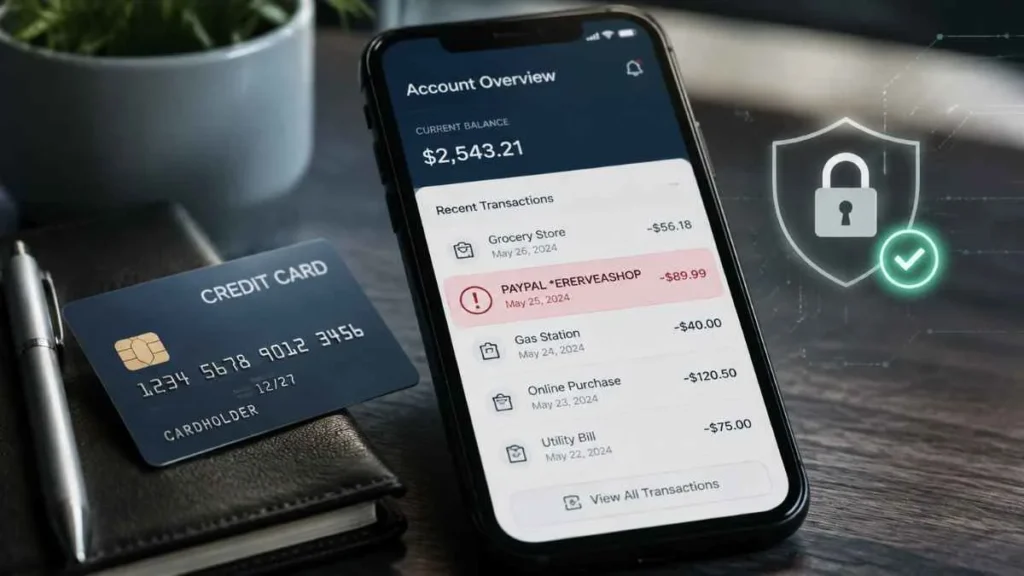
Seeing an ERERVEASHOP charge on credit card statement can be confusing, especially if you do not remember making a purchase. Many users notice this charge as *PAYPAL ERERVEASHOP and wonder whether it is a legitimate payment or an unauthorized transaction.
ERERVEASHOP is a merchant billing descriptor that may appear when a payment is processed through PayPal. It can be related to an online purchase, but if you do not recognize the transaction, you should verify the details before taking action. This guide explains what the ERERVEASHOP charge means, why it appears, and what you should do if it is unfamiliar.
What Is ERERVEASHOP Charge on a Credit Card?
An ERERVEASHOP charge on a credit card is a transaction label that appears on your bank or card statement to identify a payment. It may appear in different formats, including:
- PAYPAL *ERERVEASHOP
- PAYPAL *ERERVEASHOP ER
- PAYPAL *ERERVEASHOP 402-935-7733
In this description:
- PAYPAL refers to the payment processor handling the transaction.
- ERERVEASHOP is the merchant identifier connected to the payment.
When businesses use PayPal to accept online payments, the statement may show PayPal along with the merchant descriptor instead of displaying only the website name where the purchase was made.
Why Is ERERVEASHOP Showing on My Credit Card Statement?
There are several reasons why an ERERVEASHOP charge on credit card may appear.
You Made an Online Purchase
The most common reason is that you recently purchased something online. The payment may be related to:
- Jewelry or accessories
- Fashion products
- Discount offers
- Items purchased through online advertisements
The merchant descriptor ERERVEASHOP has been associated through user-submitted reports with Errevé Shop, an online accessory and jewelry seller. If you recently ordered a product and paid through PayPal, this charge may simply be the billing name shown on your statement.
The Statement Name Is Different From the Website Name
Many people do not recognize charges because the name shown on their credit card statement can be different from the website they visited.
For example:
Website:
The store name you remember
Credit card statement:
PAYPAL *ERERVEASHOP
Payment processors often use merchant billing names instead of the exact website name. This can make a normal purchase appear unfamiliar when reviewing your bank statement.
PayPal Guest Checkout Payment
Some users may see an ERERVEASHOP PayPal charge even without having a PayPal account.
This can happen when:
- A merchant uses PayPal as a payment gateway.
- You pay using your credit or debit card.
- The transaction is processed through PayPal.
In these cases, the payment may appear as a PayPal transaction even though you did not log into a PayPal account.
Is ERERVEASHOP Charge a Scam?
An ERERVEASHOP charge on credit card is not automatically a scam. It depends on whether you recognize the transaction and can confirm the payment details.
When It May Be Legitimate
The charge may be genuine if:
- You recently placed an online order.
- The amount matches your purchase.
- You received an order confirmation email.
- The transaction date matches your purchase.
- You paid through PayPal.
In this situation, the charge is likely showing the merchant’s billing descriptor rather than the brand name you remember.
When It May Be Suspicious
You should investigate the charge if:
- You never purchased anything.
- You do not recognize the merchant name.
- You cannot find any receipt or confirmation email.
- You paid for an item but never received it.
- You notice multiple unknown charges.
Some users have reported unfamiliar ERERVEASHOP transactions on merchant identification websites. However, these are individual reports and do not prove that every ERERVEASHOP payment is fraudulent. Always verify your own transaction details first.
How to Check If ERERVEASHOP Charge Is Yours
Before disputing the payment, follow these steps:
Check Your Email
Search your inbox for:
- ERERVEASHOP
- Errevé
- PayPal
- Receipt
- Order confirmation
- Shipping confirmation
You may find an old purchase confirmation that explains the charge.
Check Your PayPal Account
If you use PayPal:
- Log in to your account.
- Open the Activity section.
- Search for ERERVEASHOP.
- Review the transaction details.
If you cannot find the payment, it may have been processed through PayPal guest checkout.
Contact Your Credit Card Company
If you still do not recognize the charge, contact the phone number on the back of your card.
You can say:
“I do not recognize a PAYPAL *ERERVEASHOP transaction on my credit card. I need merchant details and help reviewing this charge.”
Your card issuer can:
- Provide transaction information.
- Investigate the payment.
- Help file a dispute if needed.
How to Dispute ERERVEASHOP Charge?
If you confirm the transaction was unauthorized:
Contact PayPal
If PayPal processed the payment:
- Log in to PayPal.
- Open the Resolution Center.
- Report the transaction.
- Explain that you did not authorize the payment.
Contact Your Bank
Your credit card company can help you:
- Open a billing dispute.
- Investigate possible fraud.
- Block future unauthorized payments.
- Replace your card if necessary.
Should You Cancel Your Credit Card?
An ERERVEASHOP charge on credit card does not always mean your card information has been stolen.
However, consider replacing your card if:
- You see multiple unknown transactions.
- Additional suspicious charges appear.
- You believe your card details were compromised.
- You never made any purchase connected to this merchant.
Final Thoughts
An ERERVEASHOP charge on credit card is usually a PayPal-processed transaction connected to the ERERVEASHOP merchant descriptor. It may be a legitimate online purchase, but unfamiliar charges should always be verified.
If you do not recognize the payment, check your email, review PayPal activity, and contact your credit card provider to confirm the transaction or dispute it if necessary. Staying alert can help protect your account from unauthorized payments.
Frequently Asked Questions
What is ERERVEASHOP charge on my credit card?
ERERVEASHOP is a PayPal-processed merchant charge linked to an online transaction.
Is ERERVEASHOP charge a scam?
Not always; it may be legitimate or unauthorized depending on your purchase history.
Why does PayPal appear with ERERVEASHOP?
PayPal appears because it processed the payment for the merchant.
How can I check ERERVEASHOP transaction details?
Check PayPal activity, email receipts, and your credit card statement details.
Read Also:-CITY HIVE Charge on Credit Card

Emma Rose is a U.S.-based personal finance writer and a regular contributor at Cardix.us. She focuses on topics like credit cards, credit scores, and everyday money management. Emma’s writing makes complex financial concepts simple and practical, helping readers make smarter credit and spending decisions with confidence.

