
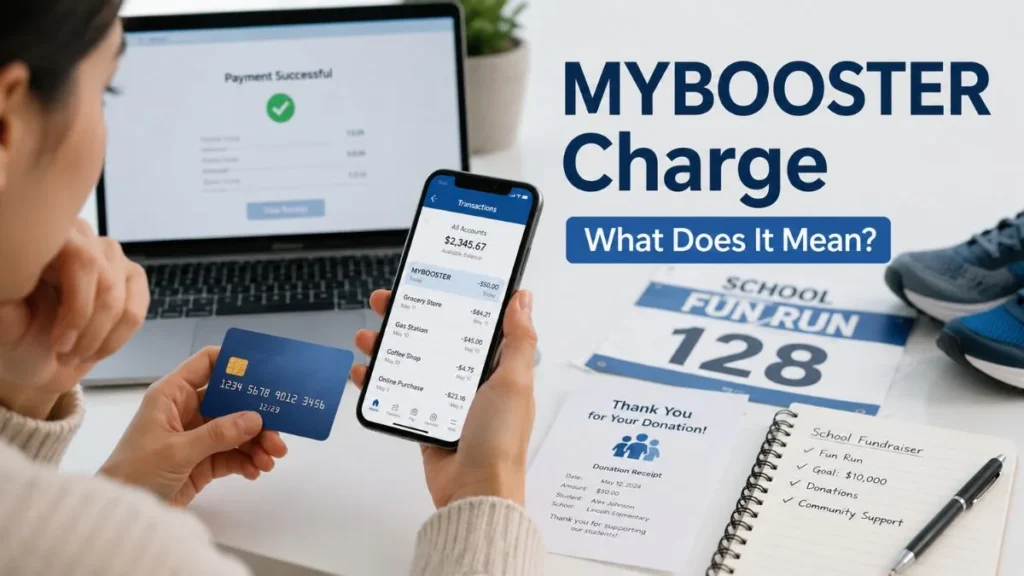
Have you noticed a MYBOOSTER charge on credit card statement and don’t remember making the payment? You’re not alone. Many U.S. cardholders search for this unfamiliar merchant name because it doesn’t identify the school or fundraiser connected to the transaction. In most cases, a MYBOOSTER charge is a legitimate donation processed through MyBooster (formerly Boosterthon), a fundraising platform used by thousands of schools across the United States. This guide explains what the charge means, why it appears, how to verify it, and what to do if you don’t recognize the transaction.
Quick Answer:
A MYBOOSTER charge on your credit card usually represents a donation made through MyBooster, a school fundraising platform. If you don’t recognize the charge, check your donation receipts, ask family members, and contact MyBooster Support before disputing the payment with your bank.
| At a Glance | Details |
|---|---|
| Charge Type | School fundraising donation |
| Company | MyBooster (formerly Boosterthon) |
| Legitimate? | Usually Yes |
| Subscription? | Usually No |
| Common Descriptor | MYBOOSTER, MYBOOSTER*, MYBOOSTER GA |
| First Step | Verify the transaction with MyBooster Support |
What Is the MYBOOSTER Charge on a Credit Card?
A MYBOOSTER charge on credit card usually indicates a payment processed through MyBooster, an online fundraising platform that helps schools collect donations for educational programs and student events. Instead of displaying the participating school’s name, many banks only show the merchant descriptor, such as MYBOOSTER, MYBOOSTER*, or MYBOOSTER GA, which is why many people don’t immediately recognize the transaction.
In most situations, the charge is a one-time donation, not a retail purchase or monthly subscription.
What Is MyBooster?
MyBooster is a U.S.-based fundraising platform formerly known as Boosterthon. Thousands of elementary and K–12 schools use it to organize fundraising campaigns without requiring students to sell products.
Instead, schools host engaging events where supporters donate online to help raise money for classroom resources, playground improvements, technology, educational programs, and other school needs. Parents, grandparents, relatives, friends, and neighbors can securely contribute through each student’s personalized fundraising page.
Why Did I Get a MYBOOSTER Charge?
If you don’t recognize the charge, there are several legitimate explanations.
You Donated to a School Fundraiser
The most common reason is that you donated to support a student’s fundraiser. Payments are processed through MyBooster rather than the individual school’s name.
A Family Member Used Your Card
A spouse, child, or another authorized user may have used your shared credit card to make the donation.
You Sponsored Someone You Know
Many people support a grandchild, niece, nephew, friend’s child, or coworker’s child during a fundraising campaign and later forget about the payment.
You Forgot About an Earlier Donation
School fundraising campaigns often last several weeks. By the time your credit card statement arrives, it’s easy to forget a donation you made earlier.
The Merchant Name Looks Unfamiliar
Your statement usually displays MYBOOSTER instead of the school’s name, making the charge appear unfamiliar even though it’s legitimate.
What Types of School Fundraisers Use MyBooster?
MyBooster specializes in event-based fundraising that encourages student participation while making online donations simple and secure.
Common fundraising events include:
- Fun Run
- Dance Fit
- Glow Run
- Read-a-thon
- Character Education Fundraisers
Each participating student receives a personalized fundraising webpage that can be shared with parents, relatives, friends, and supporters. Donations are collected securely through the MyBooster platform and processed using supported online payment methods.
Is MYBOOSTER a Legitimate Charge or a Scam?
For most cardholders, MYBOOSTER is a legitimate charge connected to a school fundraising donation.
| Usually Legitimate | Needs Investigation |
|---|---|
| You find a donation receipt. | Nobody recognizes the charge. |
| You recently supported a school fundraiser. | You have no connection to any fundraiser. |
| A family member confirms they used your card. | No receipt or confirmation email exists. |
| MyBooster identifies the donation. | MyBooster cannot verify the transaction. |
Before reporting fraud, verify the payment with MyBooster. If neither your family nor MyBooster can identify the transaction, contact your credit card issuer immediately to report an unauthorized charge.
Is MYBOOSTER a Subscription?
No. MYBOOSTER is generally not a subscription service. Most transactions are one-time donations made during school fundraising campaigns.
If you notice multiple charges, they are usually explained by:
- Multiple donations
- Donations to different students
- Another family member using your shared card
- Separate fundraising campaigns
Repeated charges don’t automatically mean you’ve been enrolled in recurring billing.
How to Verify a MYBOOSTER Charge
If you don’t recognize a MYBOOSTER charge on your credit card, don’t assume it’s fraud immediately. In many cases, it’s simply a forgotten donation or a payment made by another family member.
Follow these steps to verify the transaction:
- Search your email for:
- MyBooster
- Booster
- Boosterthon
- Donation Receipt
- Compare the transaction date and amount with any recent school fundraising activities.
- Ask family members whether they used your credit card to support a student fundraiser.
- Review school emails or fundraising messages for events such as Fun Runs, Dance Fits, Glow Runs, or Read-a-thons.
- Contact MyBooster Support with your transaction date, amount, last four card digits, cardholder name, and email address. Their team can often identify the associated school and donation.
What Should You Do If You Don’t Recognize the Charge?
Use this simple decision process:
Did someone in your household make the donation?
Yes → No further action is needed.
No → Contact MyBooster Support to verify the payment.
Did MyBooster identify the transaction?
Yes → Review the donation details and request a receipt or refund information if necessary.
No → Contact your credit card issuer immediately and dispute the transaction as potentially unauthorized.
This approach helps avoid unnecessary fraud claims while ensuring unauthorized charges are handled quickly.
Can You Get a Refund?
Yes, refunds may be available depending on the circumstances.
You should first contact MyBooster Support, as they can review the payment, identify the associated fundraiser, and determine whether the donation qualifies for a refund.
If the payment cannot be verified or you believe it was unauthorized, contact your credit card company to begin the dispute process. Your issuer can investigate the transaction and provide additional protection under your cardholder agreement.
How MYBOOSTER Charges Usually Appear on Credit Card Statements
Depending on your bank, the charge may appear as:
- MYBOOSTER
- MYBOOSTER*
- MYBOOSTER GA
- MYBOOSTER + Transaction ID
These are merchant descriptors—the billing names used by payment processors. Since they usually don’t include the school’s name, many people search online to identify the charge.
Why Don’t People Recognize the Charge?
Most unfamiliar MYBOOSTER charges are explained by one of these situations:
- You forgot about a donation made weeks earlier.
- Your spouse or child used your shared credit card.
- You sponsored a grandchild, relative, or friend’s fundraiser.
- Another family member used a saved payment method.
- The merchant descriptor doesn’t display the participating school’s name.
Before assuming fraud, always verify the transaction with your family and MyBooster Support.
Frequently Asked Questions
Why does MYBOOSTER appear on my credit card statement?
It’s the merchant descriptor used for donations processed through the MyBooster fundraising platform.
Is MYBOOSTER a legitimate company?
Yes. MyBooster (formerly Boosterthon) is a legitimate fundraising platform used by thousands of U.S. schools.
Is MYBOOSTER a monthly subscription?
No. Most MYBOOSTER charges are one-time fundraising donations.
Can I dispute a MYBOOSTER charge?
Yes. However, you should first contact MyBooster Support to verify the payment before filing a dispute with your bank.
Can I get a refund?
Possibly. Refund eligibility depends on the circumstances of the donation and MyBooster’s review.
How do I identify who made the donation?
Search your email, ask family members, review school fundraising messages, and contact MyBooster Support.
Why doesn’t my statement show my school’s name?
Credit card statements typically display the payment processor’s merchant descriptor rather than the individual school’s name.
Key Takeaways
- A MYBOOSTER charge on credit card usually represents a legitimate school fundraising donation.
- MyBooster is a trusted fundraising platform formerly known as Boosterthon.
- Most MYBOOSTER charges are one-time donations—not recurring subscriptions.
- Search your email and ask family members before assuming fraud.
- Contact MyBooster Support first to verify the transaction.
- If the payment cannot be identified, contact your credit card issuer immediately to dispute the charge.
Final Thoughts
An unfamiliar MYBOOSTER charge on your credit card can be confusing, but it’s usually linked to a legitimate school fundraising donation made through MyBooster. Because your statement displays the merchant’s billing name instead of the participating school’s name, many cardholders don’t immediately recognize the transaction. Before reporting fraud, check your email for a donation receipt, ask anyone who shares your card, and contact MyBooster Support for verification. If the charge cannot be confirmed or appears unauthorized, notify your credit card issuer right away to protect your account.
Read Also:-GET JILL’S JOY Charge on Credit Card

Emma Rose is a U.S.-based personal finance writer and a regular contributor at Cardix.us. She focuses on topics like credit cards, credit scores, and everyday money management. Emma’s writing makes complex financial concepts simple and practical, helping readers make smarter credit and spending decisions with confidence.

