
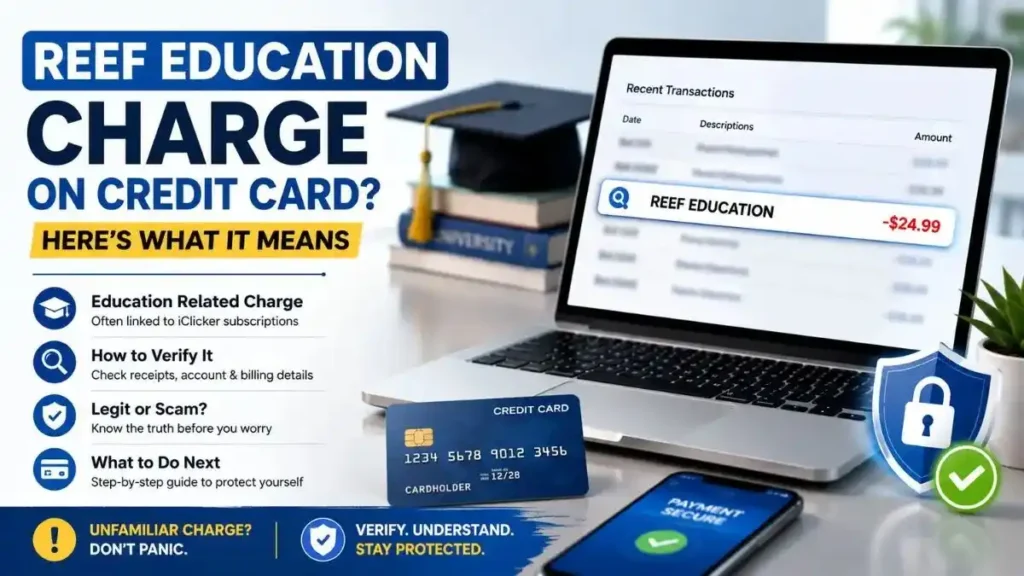
Finding a REEF EDUCATION charge on credit card statement can be confusing, especially if you don’t remember making the purchase. Fortunately, this charge is legitimate in most cases and is commonly associated with REEF Education, the former classroom engagement platform that later became part of iClicker. Many colleges and universities across the United States use iClicker to manage attendance, classroom polls, quizzes, and student participation.
However, an unfamiliar charge should never be ignored. If you don’t recognize the transaction, it’s important to verify where it came from before assuming your card has been compromised.
This guide explains what the REEF EDUCATION charge on credit card means, why it appears, how to verify it, and what to do if you don’t recognize the transaction.
Key Takeaways
- REEF EDUCATION is usually a legitimate education-related merchant.
- It is most commonly linked to the former REEF Education platform, now part of iClicker.
- Most charges are student subscriptions or subscription renewals.
- Check your email receipts and course requirements before disputing the payment.
- Contact your credit card issuer if you cannot identify the transaction.
What Is the REEF EDUCATION Charge on a Credit Card?
A REEF EDUCATION charge on credit card is typically a payment for an educational software subscription used by colleges and universities. The charge is most commonly associated with REEF Education, a classroom engagement platform that later became part of iClicker.
Today, iClicker helps instructors manage classroom attendance, live polling, quizzes, and participation, while students purchase subscriptions to access these course features. Although the platform now operates under the iClicker name, some transactions may still appear as REEF EDUCATION because of legacy billing systems or payment processing records.
If you or someone in your household recently enrolled in a college course, the charge may simply reflect the purchase or renewal of an iClicker subscription.
Why Is REEF EDUCATION Charging My Credit Card?
There are several legitimate reasons why you may see a REEF EDUCATION charge on credit card.
- iClicker Student Subscription:-The most common reason is an iClicker subscription purchased for a college course. Many instructors require students to use iClicker for classroom participation, attendance tracking, quizzes, and interactive learning.
- Required University Course Software:-Many U.S. colleges and universities include iClicker as required course material. If your instructor listed it in your syllabus or course portal, the charge is likely related to that requirement.
- Semester or Annual Subscription:-Students can purchase access for one semester, one year, or multiple years. The amount on your statement depends on the subscription plan selected.
- Automatic Renewal:-If automatic renewal was enabled when the subscription was purchased, the plan may renew at the end of the billing period without requiring another manual purchase.
- A Family Member Used Your Card:-Parents often pay for educational software on behalf of their children. If someone in your household is attending college, ask whether they purchased an iClicker subscription using your card.
Is the REEF EDUCATION Charge Legitimate?
Yes. In most cases, a REEF EDUCATION charge on credit card is a legitimate transaction.
REEF Education launched as a classroom engagement platform before officially becoming part of iClicker. Today, iClicker is used by thousands of instructors and educational institutions across the United States, making it a trusted learning platform rather than an unknown merchant.
However, any transaction you don’t recognize should still be verified. If neither you nor anyone in your household purchased an educational subscription, investigate the charge before assuming it is legitimate.
How Much Does REEF EDUCATION Usually Charge?
The exact amount depends on the subscription plan purchased.
Typical student subscriptions include:
- 6-month plan: around $15.99
- 1-year plan: around $24.99
- 2-year plan: around $34.99
- 4-year plan: approximately $45–$50
Some colleges negotiate institution-specific pricing or include iClicker access with course materials, so the amount on your statement may vary.
How to Verify a REEF EDUCATION Charge
If you don’t recognize the charge, follow these steps before contacting your bank.
Search Your Email
Search your inbox for:
- REEF
- REEF Education
- iClicker
- Macmillan Learning
Most purchases include an email receipt with subscription details.
Check Your iClicker Account
Sign in to your account and review your active subscriptions, billing history, and enrolled courses.
Review Your Course Requirements
Check your course syllabus, learning portal, or university bookstore purchases to see whether iClicker was required.
Ask Family Members
If you share your credit card, ask whether someone else purchased the subscription.
Compare the Charge Amount
Compare the amount on your statement with current iClicker subscription pricing.
Contact Your Card Issuer
If you still can’t identify the payment, ask your bank for the complete merchant information before filing a dispute.
What Should You Do If You Don’t Recognize the Charge?
Don’t panic. Most REEF EDUCATION charges are legitimate.
Instead:
- Review your transaction details.
- Search for purchase confirmations.
- Contact the merchant.
- Ask your bank for additional merchant information.
- Dispute the charge only if it cannot be verified.
- Request a replacement card if your issuer confirms unauthorized use.
Could This Charge Be From Another Company Named REEF?
Several businesses use the REEF name, which can create confusion.
| Merchant | Business Type | Typical Billing Name |
|---|---|---|
| iClicker / REEF Education | Educational software | REEF EDUCATION |
| REEF Technology | Parking services | REEF TECHNOLOGY |
| REEF Footwear | Shoes & apparel | REEF |
| Research and Environmental Education Foundation | Nonprofit | REEF |
| Work From REEF | Coworking | REEF |
The billing descriptor matters. If your statement specifically shows REEF EDUCATION, it is most commonly associated with the former REEF Education platform rather than these other businesses.
Is REEF EDUCATION a Scam?
There is no evidence that REEF EDUCATION itself is a scam. It was a legitimate educational platform that later became part of iClicker.
However, an unfamiliar charge may result from:
- a forgotten subscription,
- an automatic renewal,
- a family member’s purchase,
- merchant descriptor confusion, or
- unauthorized use of your credit card.
If you cannot identify the transaction after checking your records, contact your bank immediately.
Can You Get a Refund?
Possibly.
If the subscription was purchased accidentally, contact the merchant to ask whether the transaction qualifies for a refund.
If the charge is unauthorized, report it to your credit card issuer. Your bank can investigate the transaction and may process a dispute or chargeback if fraud is confirmed.
Frequently Asked Questions
What is REEF EDUCATION on my credit card?
It is usually a payment for an iClicker educational software subscription used by colleges and universities.
Is REEF EDUCATION the same as iClicker?
Yes. REEF Education later became part of iClicker.
Is REEF EDUCATION a legitimate merchant?
Yes, in most cases.
Can the subscription renew automatically?
Yes, depending on your subscription settings.
Final Thoughts
A REEF EDUCATION charge on credit card is usually a legitimate education-related payment connected to the former REEF Education platform, now part of iClicker. Before assuming the transaction is fraudulent, check your email receipts, review your course requirements, and ask family members whether they purchased the subscription. If you still can’t identify the charge, contact the merchant or your credit card issuer promptly to verify the transaction and dispute it if necessary.
Read Also:-ESSOR Charge on Credit Card

Emma Rose is a U.S.-based personal finance writer and a regular contributor at Cardix.us. She focuses on topics like credit cards, credit scores, and everyday money management. Emma’s writing makes complex financial concepts simple and practical, helping readers make smarter credit and spending decisions with confidence.

